Robotics Clean: A Practical How-To for Cleaning Robots
A comprehensive, safe guide to Robotics Clean for robotic vacuums, educational bots, and hobby robots. Learn tools, step-by-step methods, maintenance, and troubleshooting to keep robots performing at their best.


In this guide on robotics clean, you will learn safe, practical methods to clean robotic vacuums, educational bots, and hobby servos. You'll master exterior brushing, sensor-safe wiping, wheel maintenance, and basic internal checks. Following these steps helps protect delicate electronics and maintain peak performance, while reducing downtime and extending the robot's lifespan.
Why Robotics Clean Matters
Robotics clean is more than a cosmetic task—it guards the longevity and reliability of modern robots used in homes and workshops. Dust, hair, and humidity can accumulate in crevices, around sensors, and on moving parts, gradually impairing performance. A regular robotics clean routine helps maintain sensor accuracy, protects battery contacts, and minimizes wear on drive systems. For homeowners and hobbyists, keeping a robot clean reduces downtime, preserves resale value, and supports consistent operation across tasks. According to Cleaning Tips, a structured robotics clean habit can noticeably reduce debris buildup around sensitive components, which translates to fewer false readings and smoother motor operation. Embrace robotics clean as a basic maintenance habit to keep your devices ready for daily use and unexpected tasks.
In this context, robotics clean spans several environments—from compact robotic vacuums to educational kits and micro-robots. Each category has unique challenges, but the core principles remain the same: remove dust, protect electronics, and avoid moisture near connectors. By prioritizing robotics clean, you also protect warranty integrity and avoid costly repairs caused by corrosion or dampness.
tip
Tools & Materials
- Soft microfiber cloth(Lint-free and non-abrasive; use dry first, then slightly damp for stubborn grime)
- Isopropyl alcohol 70%(Apply to cloth, never spray directly onto components)
- Cotton swabs(Great for crevices and sensor housings)
- Soft brush or dry lens brush(Use to dislodge dust from vents and gaps)
- Compressed air can(Short bursts to clear dust from tight spaces; avoid inhalation hazards)
- Distilled water(For damp wipe only; never leave sitting moisture on electronics)
- Small screwdriver set (precision)(Use only if you are comfortable and follow warranty guidelines)
- Protective gloves(Optional, keeps hands clean and reduces skin contact with cleaners)
Steps
Estimated time: 30-45 minutes
- 1
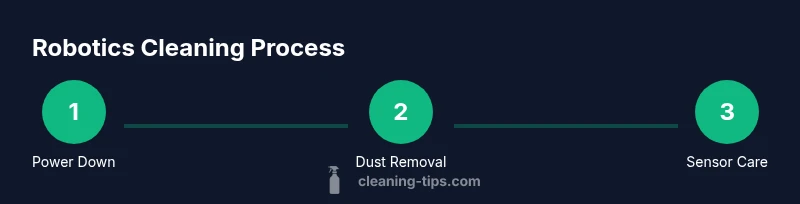
Power down and disconnect
Power down the robot completely and unplug any charging dock. If your model has a removable battery, detach it following the manufacturer’s instructions. This prevents short circuits and protects delicate sensors during cleaning.
Tip: Always wait a moment after powering down to let capacitors discharge before touching internal components. - 2
Remove loose debris from chassis
Use a soft brush to sweep away visible dust, hair, and lint from the exterior, grilles, and wheel wells. Avoid pressing hard on vents to prevent bending delicate housings. This step reduces scratching and prepares surfaces for wiping.
Tip: Keep a small container handy for collected debris to prevent it from falling back into crevices. - 3
Wipe the exterior with a damp cloth
Dampen a microfiber cloth with a small amount of isopropyl alcohol solution or distilled water. Wipe the chassis, top panels, and non-electrical surfaces in gentle, even strokes. Do not saturate any openings or ports.
Tip: Never spray liquids directly onto the robot; liquids can creep into seals and damage circuitry. - 4
Clean sensors and cameras
Gently wipe sensor covers and camera lenses with a microfiber cloth or cotton swab dampened with alcohol. Avoid touching the glass with bare fingers, which can smear oils. Proper cleaning maintains obstacle detection and mapping accuracy.
Tip: Use circular motions and avoid pressing; if a sensor looks cloudy, revisit with a fresh swab and cleaner. - 5
Clean wheels, brushes, and drive components
Inspect wheels for hair and thread, then remove any buildup using the brush or tweezers. Clean brush bars and small gears to sustain traction and prevent slipping. Lightly wipe motor housings, avoiding moisture near electrical contacts.
Tip: If hair is tangled, cut it away rather than yanking; this reduces stress on the axle. - 6
Check battery contacts and charging dock
Examine battery contacts for corrosion or residue. Clean with alcohol on a swab, then let dry before reassembling. If the robot docks with a charging station, wipe contacts and ensure the dock is free of dust.
Tip: If you notice corrosion, consult the manufacturer before attempting further cleaning; avoid using abrasive cleaners. - 7
Reassemble and test run
Reconnect the battery if removed, reattach any covers, and power the robot back on. Run a short test to verify wheels spin smoothly, sensors respond, and the charging dock engages correctly.
Tip: Observe for unusual noises or sluggish responses during the test; stop and reassess if anything seems off.
Questions & Answers
How often should I clean my robotics?
A light cleanup weekly and a deeper cleaning monthly typically keeps most robots performing well. Adjust the frequency based on usage and environment, especially if you have pets or high dust levels.
Most robots benefit from a weekly light clean and a monthly deeper clean; adjust for pets and dusty spaces.
Is it safe to use water on sensors or electronics?
Water should not contact exposed electronics. Use a damp cloth or alcohol on non-electrical surfaces and avoid spraying liquids directly on sensors or ports.
Avoid spraying water on sensors. Use a damp cloth or alcohol on non-electrical parts only.
Can I open the internal compartments myself?
Only attempt internal cleaning if you are comfortable and the manufacturer allows it; many warranties void if you disassemble without guidance. Use non-invasive exterior cleaning for most tasks.
Only open internals if the manufacturer allows and you’re sure what you’re doing; otherwise stick to exterior cleaning.
What signs indicate I’ve cleaned too aggressively?
Look for scratched lenses, loose panels, abnormal sounds, or intermittent sensor failures after cleaning. Recheck seals and connectors and avoid applying pressure to delicate parts in the future.
Look for scratches or sensor issues after cleaning and adjust technique accordingly.
Should I lubricate moving parts after cleaning?
Lubrication is rarely required for most consumer robots. If you do lubricate, use manufacturer-approved lubricants and sparingly on moving joints.
Lubricate only if the manufacturer recommends it and use the approved product in tiny amounts.
Where can I find official maintenance guidelines for my model?
Refer to the user manual or the manufacturer’s support site for model-specific maintenance guidelines. When in doubt, contact customer support before attempting repairs.
Check the manual or official support site for your exact model; contact support if unsure.
Watch Video
The Essentials
- Define a robotics clean routine and stick to it.
- Power down first and avoid moisture near electronics.
- Use the right tools to protect sensors and moving parts.
- Clean exterior, sensors, and drivetrain in that order.
- Test softly after cleaning to ensure proper operation.