How to Clean Up My Phone: A Practical Guide
Learn how to clean up my phone safely and effectively with practical steps, tools, and precautions. This Cleaning Tips guide covers screen care, ports, case, and daily maintenance for a healthier device.


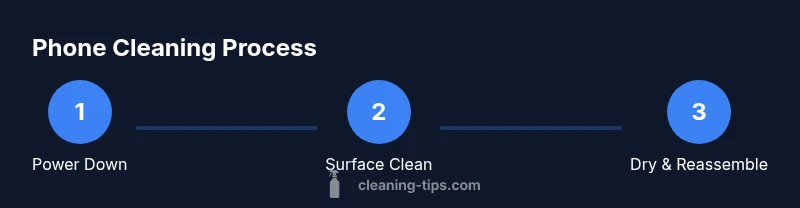
Goal: clean up my phone safely without damaging internals. In 6 simple steps, you will sanitize the screen, speakers, charging port, and case using gentle cleaners and microfiber cloths. Power down, disconnect accessories, and avoid excess moisture. Follow these steps for a healthier, longer-lasting device. This reduces germs, protects screens, and extends battery life.
Why cleaning your phone matters
Phones harbor more germs than many everyday objects, and a quick weekly clean can reduce the transfer of microbes to your hands, face, and surroundings. If you’re wondering how to clean up my phone in a way that protects you and the device, you’re in the right place. The Cleaning Tips team emphasizes that regular purification of touch surfaces supports a healthier home environment and can extend screen clarity and battery life. In practice, a careful clean removes oily fingerprints, dust, and microbial traces from glass, metal, and plastic components. This section explains the why behind the process and sets expectations for results. By approaching the task with a clear goal and steady routine, you’ll minimize risk to coatings and internals while maximizing cleanliness and device longevity. Remember: the goal is effective cleaning without saturating openings or compromising seals.
Safety first: what to avoid
Cleaning a phone requires care to avoid moisture damage and residue buildup. Never spray cleaners directly onto the device. Avoid ammonia-based products, bleach, abrasive pads, or solvents stronger than isopropyl alcohol. Keep liquids away from ports, speakers, mic holes, and the SIM tray. If you see any moisture or condensation inside ports, stop and dry the area thoroughly. The smartest approach is to use a dampened microfiber cloth (not dripping wet) and a dry microfiber cloth for final buffing. For brand-new or coated screens, test any cleaner on a tiny corner first to ensure no adverse reactions. The Cleaning Tips team notes that safer cleaning practices preserve display coatings and tactile feel while reducing cross-contamination.
Tools and materials you’ll need
Before you begin, assemble a small toolkit of safe cleaning supplies. This ensures you don’t get halfway through and realize you’re missing something. The list includes microfiber cloths, a small spray bottle, 70% isopropyl alcohol, distilled water, cotton swabs or soft brushes, and a soft, lint-free wipe. Optional items include a silicone case cleaning brush and screen-safe wipes. Use only cleaners that are safe for electronics and avoid saturated wipes. The goal is a gentle, effective clean that won’t degrade coatings or seals.
Screen and surface cleaning technique
The screen is usually the dirtiest surface and benefits most from a microfiber cloth. Start by powering off the phone and disconnecting any accessories. Lightly dampen a corner of the microfiber with isopropyl alcohol solution (or a mix of alcohol and water) and wipe the screen using gentle, circular motions. Do not press hard or scrub aggressively. After the screen has been cleaned, wipe it with a dry microfiber cloth to remove any remaining moisture. This reduces smudges and helps restore clarity while preserving anti-reflective coatings.
Cleaning ports, speakers, and sensors
Opening or exposing port areas should be avoided; instead, use a lightly dampened cloth and a dry cotton swab to clean around external openings. Gently remove dust from speaker grilles and mic holes with a soft brush or cotton swab. If debris is stubborn, use a tiny amount of alcohol on a swab and dab—never soak—then dry with a fresh cloth. This prevents moisture from seeping into internal components while improving microphone and speaker performance. Always let any residual moisture evaporate fully before reintroducing accessories.
Cleaning the case, charger, and accessories
Phone cases can accumulate oils and dirt; remove the case and wipe both sides with a damp microfiber cloth. If the case is fabric, follow its care label; for hard shells, a mild soap solution or isopropyl wipe is usually safe. Wipe chargers and cable connectors with a dry or slightly damp cloth, then dry completely before reconnecting. Avoid submerging cables or adapters in liquid. Regularly cleaning these items reduces grime and maintains a secure, reliable connection.
Drying, inspection, and maintenance
After cleaning, allow all parts to dry fully before reassembling. Inspect ports and seams for any moisture; if you see droplets, let them air-dry for several minutes longer. Reattach the case and reconnect accessories, then power on to verify functionality. For ongoing hygiene, consider a lightweight weekly routine that targets the screen and exterior case. The Cleaning Tips team recommends documenting your cleaning schedule so you can track improvements in screen clarity and overall device tidiness.
Authority sources and further reading
For more on safe cleaning practices, refer to widely respected guidelines from public health and safety institutions. While electronics cleaning is a niche topic, general surface-cleaning principles apply, and reputable sources offer practical guidance on avoiding moisture and protecting coatings. Cleaning Tips draws on best practices from government and academic resources to support safe, effective cleaning routines.
Tools & Materials
- Microfiber cloths(Lint-free, non-abrasive)
- Small spray bottle(Fine mist for safe dampening)
- 70% isopropyl alcohol(Dilute if needed; do not use pure water)
- Distilled water(Mix with alcohol if preferred)
- Cotton swabs or soft brush(For ports and crevices)
- Soft, lint-free wipe(Extra drying if needed)
- Optional: screen-safe wipes(Special coating-safe products)
Steps
Estimated time: 20-25 minutes
- 1
Power down and unplug
Turn off the phone and disconnect any charging cables or accessories. This minimizes the risk of short circuits and water entering ports during cleaning. Ensure the device is completely powered down before you begin.
Tip: This is the foundational safety step—never skip it. - 2
Prepare your cleaning area
Choose a clean, flat surface. Gather your tools and avoid placing the phone on dusty or wet surfaces. Having a dedicated cleaning cloth ready reduces the chance of cross-contamination.
Tip: Use a soft mat to protect the phone from drops while you work. - 3
Clean the screen and exterior surfaces
Dampen a microfiber cloth with a small amount of isopropyl solution or a 70/30 mix with distilled water. Wipe gently in circular motions, then finish with a dry section of the cloth to remove moisture residue.
Tip: Never spray liquid directly onto the device; liquids should only touch the cloth. - 4
Address ports and speakers
Use a cotton swab or soft brush to remove dust from speaker grills and around the charging port. If residue sticks, dampen the tip slightly and dab; avoid flooding openings.
Tip: Work in small circular motions; avoid excessive pressure. - 5
Clean the case and accessories
If the case is removable, clean it separately following its material guidelines. Wipe chargers and cables with a dry or lightly damp cloth and let all items dry completely before reassembly.
Tip: Check for wear and tear on cables and replace if frayed. - 6
Dry, inspect, and reassemble
Allow all parts to air-dry completely. Reassemble the device and run a quick check to ensure everything functions as expected. If moisture persists, give it extra drying time before use.
Tip: A final visual inspection helps catch missed spots. - 7
Establish a maintenance routine
Set a weekly or biweekly cleaning cadence to maintain hygiene. Document the steps you follow so you can repeat consistently and track improvements over time.
Tip: A routine reduces the risk of buildup and simplifies future cleans. - 8
Mindful precautions for coatings and coatings
If your phone has specialized coatings (oleophobic, anti-scratch), verify compatible cleaners on a small area first. Avoid abrasive tools and harsh solvents that can degrade coatings.
Tip: Always test on a hidden corner first.
Questions & Answers
Is it safe to use alcohol on my phone screen?
Yes, a small amount of 70% isopropyl alcohol on a microfiber cloth is generally safe for most screens. Avoid saturating the screen and test on a hidden area first if your device has a special coating.
Yes. Use a tiny amount on a microfiber cloth and test a small area first.
Can I use water to clean my phone?
Water can be used in a diluted form with alcohol, but do not spray or soak the device. Always apply liquid to the cloth, not directly to the phone, to prevent moisture ingress.
Water should only touch the cloth, never the device directly.
How often should I clean my phone?
Aim for a light wipe weekly and a deeper clean every few weeks depending on usage and exposure to dirt or germs. More frequent cleaning may be necessary after outdoor use or in shared spaces.
A light weekly wipe works well; deeper cleans as needed.
What should I avoid when cleaning electronics?
Avoid ammonia-based cleaners, bleach, corrosive solvents, and direct spraying on devices. These substances can damage coatings and internal components.
Avoid ammonia, bleach, and direct spray on the device.
Should I remove the SIM card before cleaning?
No special action needed for cleaning; just ensure the device is powered down and moisture is avoided around the SIM tray. Cleaning around the tray is fine if the area is dry.
No need to remove the SIM card; keep it dry during cleaning.
Are fabric cases safe to clean with water?
Fabric cases can be cleaned with mild soap and water or a gentle wipe, but check the label. Dry thoroughly before reusing to avoid moisture transfer to the phone.
Check the case label and dry completely before use.
The Essentials
- Power down before cleaning any device components.
- Use minimal liquid and a microfiber cloth to prevent moisture damage.
- Target screens, ports, and cases with non-abrasive methods.
- Establish a routine to maintain hygiene and device longevity.