How to Clean AirPods: Safe, Effective Cleaning Guide
Learn step-by-step, safe methods from Cleaning Tips to clean AirPods without damaging speakers. Includes tools, tips, and troubleshooting for crisp audio.


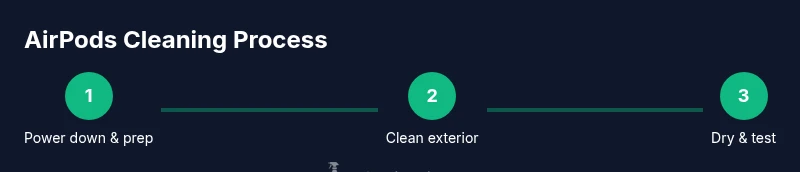
According to Cleaning Tips, you can clean AirPods safely without harming speakers. By the end, your AirPods should be clean, free of earwax buildup, and ready for use. This guide covers safe steps that protect the mesh and charging contacts. Start by removing AirPods from the case, then dry-clean exterior surfaces with a microfiber cloth, gently brush the mesh, wipe the stems, and avoid moisture near the gaps. Let components dry completely before reuse.
Why Regular Cleaning Extends AirPods Lifespan
AirPods are precision devices with delicate mesh drivers and small charging contacts. Regular cleaning helps preserve sound quality, battery health, and overall reliability. If you’re researching how to clean airpods, you’ll want to focus on safe exterior care and mesh maintenance while avoiding anything that introduces moisture into the internal circuitry. According to Cleaning Tips, consistent, gentle cleaning keeps drivers clear and prevents corrosion around exposed contacts. Debris and oils from daily use can accumulate in the mesh and seams, leading to muffled audio, intermittent connectivity, or slower charging. Establishing a routine—whether weekly for heavy users or biweekly for casual listeners—helps catch buildup before it causes noticeable problems. The goal is to remove grime without saturating the device. By following these guidelines, you’ll protect the AirPods you rely on for calls, music, and podcasts.
What counts as “regular cleaning” varies by usage and environment. If you sweat during workouts or use AirPods in dusty areas, increase frequency. Always allow components to dry completely after cleaning to prevent moisture from lingering in the mesh. The Cleaning Tips team emphasizes that a safe, measured approach reduces risk and extends life while keeping ear comfort and audio fidelity intact.
Safety First: What Not to Do When Cleaning AirPods
Tools and Materials You'll Need
Step-by-Step Cleaning Process: Exterior Surfaces
Cleaning the Mesh and Openings
Cleaning the Case Interior, Contacts, and Ports
Drying, Reassembly, and Routine Maintenance
Troubleshooting Common Issues and When to Seek Help
Best Practices and Long-Term Care
Tools & Materials
- Microfiber cleaning cloth(Lint-free; use dry or barely dampened with isopropyl 70%)
- Soft-bristled brush(Small head; gentle strokes to loosen debris from the mesh)
- Cotton swabs (Q-tips)(For mesh edges and stems; avoid deep insertion into openings)
- Isopropyl alcohol 70%(Dampen cloth lightly; never spray directly on AirPods)
- Lint-free dry cloth for case interior(Use inside the case to lift oils and dust)
- Optional compressed air can(Low pressure; short bursts and keep away from mesh)
Steps
Estimated time: Estimated total time: 12-18 minutes
- 1
Remove AirPods from the case and inspect
Power down by removing the AirPods from the charging case and visually inspect for obvious debris near the mesh and stems. This initial check helps determine how much cleaning is needed and prevents accidentally pressing debris into openings during the process.
Tip: Always start with a dry inspection to avoid pushing dirt into cavities. - 2
Wipe exterior surfaces with a microfiber cloth
Use a dry microfiber cloth to wipe the entire exterior, including the stems, charging contacts (outer rims), and the underside near the sensors. If oils resist, lightly dampen the cloth with a tiny amount of isopropyl alcohol 70% and re-wipe, never soaking the AirPods.
Tip: Keep moisture away from the mesh and openings; work in gentle, straight strokes. - 3
Loosen debris from the mesh with a soft brush
Gently brush the mesh area to loosen trapped dust and earwax. Use short, light strokes at a shallow angle, avoiding direct scrapes into the driver mesh. If any particles remain, stop and allow the area to dry briefly before retrying.
Tip: Never press hard on the mesh; damage can affect sound quality. - 4
Clean the stems and edges with cotton swabs
Lightly roll a cotton swab around the stems and the outer mesh edge to lift remaining debris. Do not insert the swab into the mesh holes. This step helps prevent buildup that can interfere with sound and touch controls.
Tip: Use a fresh swab for each pass to avoid reintroducing grime. - 5
Wipe outer surfaces again with a damp cloth
If you used a damp cloth, ensure it is only lightly moistened and avoid contact with the mesh. Wipe the entire exterior once more to remove any loosened oils, including the area around the charging contacts.
Tip: Do not spray liquids directly onto AirPods. - 6
Dry AirPods completely before reuse
Place the AirPods on a clean surface in a dry, well-ventilated area and allow them to air-dry for several minutes. Do not use heat sources; moisture lingering near the internal electronics is a common cause of failure.
Tip: Touch the AirPods lightly to check for dampness; if any feels cool or damp, give it more time. - 7
Clean the case interior and contacts
Wipe the interior of the charging case with a dry microfiber cloth and use a cotton swab to lift residue from the charging contacts. Keep liquids away from the battery area and lid hinges.
Tip: A clean case helps maintain reliable charging and longer case life. - 8
Reassemble and test
Return the AirPods to the case, perform a quick test by connecting to a device, and play audio to verify clarity. If issues persist, repeat gentle cleaning or seek further guidance.
Tip: If you still hear muffled sound, consider professional inspection.
Questions & Answers
Can I clean AirPods with water or submerge them in liquid?
No. Do not submerge AirPods in water or cleaning liquids. Use a dry or barely damp cloth and gentle tools to avoid moisture seeping into openings.
Avoid submerging AirPods in water. Use a dry or barely damp cloth and gentle tools instead.
Is it safe to use alcohol on the AirPods mesh or stems?
Lightly dampen a microfiber cloth with isopropyl alcohol 70% and wipe the exterior surfaces. Do not spray or soak the AirPods, especially the mesh openings.
If you use alcohol, apply it to the cloth, not directly to the AirPods, and avoid the mesh openings.
How long should AirPods dry after cleaning?
AirPods should dry completely before reuse. If any moisture remains, allow more time in a dry, ventilated space and recheck before testing.
Let them dry completely before using again, and check for any damp spots first.
Will cleaning void the warranty?
Cleaning with approved methods and without moisture entering the internals typically does not void the warranty. If damage occurs due to improper handling, contact support.
Using safe cleaning methods and not exposing internal parts generally won’t void your warranty.
How often should I clean my AirPods?
Clean as needed when you notice debris, wax, or muffled sound. For heavy users, a monthly check is reasonable; lighter use may require less frequent cleaning.
Clean when you notice buildup or reduced sound; many people do a quick check every few weeks.
Can I use a hair dryer or heat to dry AirPods?
No. Avoid heat sources like hair dryers, which can warp components or damage seals. Air-drying in a dry, ventilated area is safest.
Avoid heat; let AirPods air-dry in a safe space instead.
Watch Video
The Essentials
- Clean AirPods with minimal moisture and gentle tools
- Never spray liquids directly on the devices
- Dry thoroughly before reconnecting to a device
- Maintain a regular cleaning routine for best performance