How to Remove PS5 Cover to Clean: A Practical Guide
Learn how to safely remove the PS5 cover to clean dust and grime from vents and exterior. This guide covers preparation, tools, step-by-step removal, reassembly, and best practices to maintain cooling and prolong console life.


By the end, you'll know how to remove the PS5 cover to clean safely, what tools you need, and how to reassemble without leaving gaps or damaging fans. This quick answer outlines preparation, precautions, and the general sequence to access the interior while protecting sensitive components. Follow these steps to minimize static risk and keep warranty considerations in mind.
Why cleaning the PS5 cover matters
Dust, pet hair, and skin oils can accumulate on the PS5 exterior and behind the side panels. While the console is built to vent heat, blocked vents or dust build-up can reduce airflow and cause the system to run hotter, which may shorten component life and increase fan noise. Keeping the shell clean helps maintain proper cooling and can prevent overheating during long gaming sessions. According to Cleaning Tips, regular cleaning not only improves air quality around electronics but also extends the device life by reducing thermal stress. This is especially important if you live in a dusty environment or have pets that shed hair. In this guide, you'll learn how to remove the PS5 cover to clean, the tools you'll need, and best practices to avoid damage. We'll cover both the standard disc edition and the digital edition, noting any minor model differences and how they affect the process. Remember that while cleaning is beneficial, the exterior shell is only part of the cooling system; most maintenance should focus on the vents and fan intake areas, which are accessible once you safely remove the cover.
PS5 cover types and warranty considerations
The PlayStation 5 comes in two main configurations: disc edition and digital edition. Both share the same outer shell design but may expose different vent configurations behind the cover. Understanding how the shell is attached helps prevent damage when you remove it. There are common claims about warranty risk when opening the casing. In many regions, opening the shell could affect your warranty if the disassembly is considered user-modification; however, simply removing the cover for routine cleaning is often tolerated when done carefully and without tampering with internal components. Always check your region's policy and consult Sony's official guidance if in doubt. If your console is still under warranty or you purchased a service plan, weigh the risk of proceeding yourself versus seeking professional cleaning. The key is to avoid using metal tools that can scratch surfaces, to avoid touching the motherboard, and to minimize handling of sensitive connectors. If you notice any signs of moisture or unusual heat, stop immediately and seek assistance.
Safety and preparation before you start
Before you touch the PS5 shell, power down completely and unplug all cables, including HDMI, network, and power. Allow the unit to cool for several minutes if it has been in use; the exterior can heat quickly after gameplay. Work on a clean, flat surface with ample lighting and a soft mat to protect the finish. Ground yourself by touching a metal object or wearing an anti-static wrist strap to reduce the risk of static discharge. Keep small parts like screws in a container so they aren’t lost, as you’ll reattach panels in a specific orientation. Avoid wearing loose clothing or jewelry that can catch on components. Finally, decide whether you’ll remove only the shell or also access the interior ventilation areas—this decision will affect the tools you need and the risk level. If you suspect you’re not comfortable with handling electronics, consider professional cleaning or at least consulting the warranty terms first.
Tools and materials you’ll want
Before you begin, gather essential tools and materials to minimize interruptions. A soft, lint-free microfiber cloth is your primary cleaning tool for exterior surfaces. A plastic pry tool or non-metal spatula helps release clips without scratching the plastic. An anti-static wrist strap is optional but recommended for grounding yourself during shell removal. A soft brush or a canned air duster can help remove dust from vents without pushing debris deeper into the chassis. Finally, set up a clean, dry workspace to avoid accidental moisture and keep screws organized in small containers.
Cleaning approach: exterior first, vents second
Start with the exterior: wipe the PS5 casing with a dry microfiber cloth, following the grain of the plastic where possible. For stubborn smudges, use a barely damp microfiber cloth (water only, no cleaners) and immediately dry with a separate microfiber to prevent moisture from seeping into seams. Never spray liquid cleaners directly onto the shell or into any openings. When you access the vents after removing the cover, use a soft brush or a can of compressed air held at a safe distance to dislodge dust—never insert thin objects into vents, which can damage fans or circuit boards. If you use compressed air, work in short bursts and keep the can upright to avoid propellant liquid contact. Finish by wiping again with dry microfiber and allowing any remaining moisture to evaporate completely before reassembling.
Step-by-step overview: what to expect from the process
Because the PS5 cover uses clip-based panels rather than a single screw, removal typically involves releasing edge clips and lifting the panels away from the chassis. Start by inspecting the seam lines and identifying the gentle release points. Use a plastic pry tool or your fingernails, supporting the panel from the back edge to prevent bending. Remove one panel at a time to avoid twisting the chassis. Keep track of orientation so reassembly is straightforward. After you remove the shell, you’ll be able to access the vents and the inner surfaces for cleaning. Reposition the panels slowly and press around the edges to re-engage all clips. If a clip feels sticky or won’t snap back, stop and review your alignment to avoid forcing the shell.
Reassembly and testing after cleaning
After cleaning, carefully reattach the covers by aligning edges and pressing until you hear or feel a click for each clip. Reconnect cables and power the console on to confirm it boots normally and that fans remain quiet. Check for any light or error indicators that might signal an issue. If you notice a loose panel or unusual gaps, power down again and reseat the shell. Finally, lay the unit on a stable surface and run a short gaming session to ensure temperatures stay within normal ranges, indicating that airflow is unobstructed. Keep a routine cleaning schedule to maintain optimal cooling.
Common mistakes to avoid
Avoid forcing the shell if a clip doesn’t immediately release. Do not use metal tools, excessive force, or liquids near internal components. Skipping static precautions can risk damage to sensitive circuits. If your unit remains under warranty, consult official guidance before disassembly, as improper handling can void coverage. And if you’re uncertain about the model you own, look up your specific PS5 variant to confirm the correct removal approach.
Quick tips and warnings
Pro tip: take photos as you go to document screw placement and panel orientation. Warning: never spray cleaner directly onto the shell or into vents, and avoid touching the motherboard or internal connectors with bare hands or metal objects. Note: static electricity can damage electronics; always ground yourself before handling parts.
Tools & Materials
- Soft, lint-free microfiber cloth(For exterior cleaning; use dry first, then a barely damp cloth if needed)
- Plastic pry tool or non-metal spatula(Gently release shell clips; avoid scratches)
- Anti-static wrist strap (optional)(Grounds you during shell removal)
- Soft brush or canned air(Dust vents carefully from a distance; do not poke vents)
- Small containers or organizers(Keep screws and fasteners sorted by panel)
Steps
Estimated time: Total: 20-40 minutes
- 1
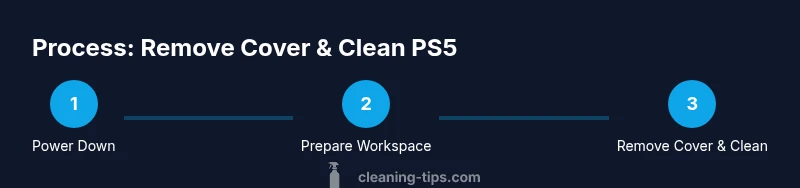
Power down and unplug
Turn off the PS5 completely, disconnect all cables, and allow the unit to cool. This minimizes the risk of electrical shock and thermal injury during handling.
Tip: Wait at least 5 minutes and keep the console on a stable, non-slip surface. - 2
Set up a safe workspace
Place the PS5 on a soft mat in a clean, well-lit area. Gather tools within reach and organize screws by panel so you don’t mix parts later.
Tip: Take a quick photo of screw positions before removing anything. - 3
Inspect seams for release points
Carefully examine the shell seams to locate gentle release points. Do not pry into the chassis; identify clip locations to avoid damage.
Tip: Use a flashlight to illuminate seam lines for precise contact. - 4
Gently disengage the panels
Use a plastic pry tool or your nails to release edge clips one at a time, keeping pressure even to prevent cracking.
Tip: Work gradually along the edge rather than forcing a single spot. - 5
Remove the cover panels
Lift the panels away once clips are released, keeping the orientation in mind for reassembly.
Tip: Support the panel so it doesn’t bend while you set it down. - 6
Clean exterior and vents
Wipe the exterior with a dry microfiber cloth; if needed, use a barely damp cloth and dry immediately. Dust the vents with a soft brush from a distance.
Tip: Never spray liquid cleaners into vents or ports. - 7
Reassemble and test
Align the shells, press the clips to re-seat them, reconnect cables, and power on to verify normal operation and cooling.
Tip: If you feel resistance, stop and realign before continuing.
Questions & Answers
Is removing the PS5 cover safe?
Yes, when you power down, unplug, and handle the shell gently. Avoid touching internal boards and never spray liquids near electronics.
Yes, it’s safe if you power down and handle the shell carefully, keeping liquids away from the electronics.
Will removing the cover void my warranty?
Warranty terms vary by region. Check Sony’s guidance and your service plan. If in doubt, seek professional cleaning to preserve coverage.
Warranty rules vary; check official guidance or consult support if you're unsure.
Can I clean the PS5 without removing the cover?
Yes, exterior cleaning and careful vent dusting can be done without full disassembly, but accessing hidden dust may require removal of the shell.
You can clean the outside and vents carefully, but full access may need removing the cover.
What should I avoid when removing the cover?
Avoid using metal tools, avoid applying force to panels, and never spray liquids into openings or near the motherboard.
Don’t use metal tools or liquids near the internals; be gentle and patient.
What should I do if a clip won’t snap back?
Pause, realign the panel, and try again. Forcing a clip can cause cracks or misalignment.
If a clip won’t snap, stop, realign, and try again carefully.
How long does the process typically take?
Most users complete it in 20–40 minutes, depending on model and familiarity with the clips.
Usually about 20 to 40 minutes, depending on your setup and experience.
Watch Video
The Essentials
- Power down fully before any handling.
- Use a dry microfiber cloth for exterior; avoid liquids near internals.
- Document screw placement to ease reassembly.
- Never force shell clips; misalignment is a common damage risk.
- Regular cleaning improves cooling and helps extend console life.