Where to Clean PS5: A Practical Cleaning Guide
Learn where to clean PS5 safely with step-by-step routines, tools, and maintenance tips to keep your console cool, dust-free, and performing at its best.


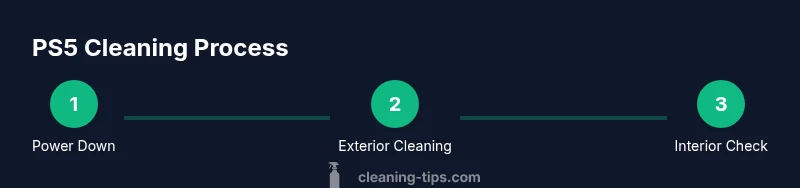
To properly clean a PS5, start by powering off and unplugging the console, then remove dust from the exterior with a microfiber cloth and short bursts of compressed air. Wipe surfaces gently, avoid liquids near ports, and use a soft brush for vents. For the interior, avoid opening the case; rely on professional service if deep cleaning is needed.
Where to Clean PS5: Understanding the Cleaning Landscape
If you’re wondering where to clean ps5, the answer isn’t just 'anywhere'—you want a safe, dust-free spot and a method that protects electronics. According to Cleaning Tips, routine cleaning supports airflow, reduces heat buildup, and extends console life. Most PS5 maintenance happens outside the chassis, but occasional interior care may be warranted if you hear fan noise or notice heat rising. Start by choosing a clean, dry workspace away from liquids, pets, and high humidity. A well-lit desk or table with a static-free surface helps you spot dust and avoid tiny particles that could scratch panels. Use natural daylight or a bright lamp to inspect vents and ports. Gather your materials ahead of time so you don’t have to leave the area mid-cleaning. Cleaning Tips analysis shows that people often skip exterior dusting, which contributes to slower airflow and higher temperatures during gaming sessions. By understanding the scope of 'where to clean ps5', you can design a simple routine that fits your schedule and keeps the console healthy.
Safety First: Power, Environment, and Prep
Safety comes first when tackling any electronics cleanup. Always power down the PS5, unplug the power cord, and allow the console to cool completely before you touch it. Choose a dry, well-ventilated space away from liquids and high humidity. If you have pets or small children, keep the area off-limits during the cleaning window. A static-free mat or a clean desk surface minimizes dust redistribution. According to Cleaning Tips, preparing a dedicated cleaning zone reduces accidental spills and helps you stay organized throughout the process. Check that your cleaning tools are within arm’s reach before you begin to minimize disruptions. This is also a good time to review warranty considerations and avoid any actions that could void coverage. A calm, methodical setup reduces the risk of damage and makes the job faster and safer.
Exterior Cleaning: Case, Vents, and Ports
The exterior of the PS5 collects dust just like any other electronic device. Start with a dry microfiber cloth to wipe the top, sides, and the front panel. Use narrow, controlled strokes and avoid applying moisture directly to vents or openings. A canister of compressed air in short bursts helps loosen stubborn dust from the external vents. Hold the can upright and keep a small distance from the device to prevent moisture spray. For crevices and ports, a soft brush or a cotton swab can dislodge particles, but never insert liquids into ports. If your PS5 has a glossy finish, a light touch is all that’s needed to avoid smudges. Cleaning Tips emphasizes that consistent exterior care prevents dust from penetrating deeper and keeps airflow unobstructed, which is essential for cooling during long gaming sessions.
Interior Cleaning: Fans, Heatsink, and Dust
Interior cleaning should be approached with caution. If you hear loud fan noise or notice rising temperatures, you may need to address interior dust. With the console powered off and unplugged, remove dust from accessible fan grills using a soft brush and compressed air with short bursts. Do not touch the fan blades directly—hold them in place with a finger to avoid spinning and potential damage. If you open access panels, avoid disassembling heat sinks or sensitive components. A cotton swab lightly dampened with isopropyl alcohol can be used to wipe away residue on non-electronic surfaces, but never apply liquid directly to any internal component. Cleaning Tips recommends limiting interior cleaning to routine dust removal unless you’re trained, as improper handling can void warranties or cause failures.
Cleaning Peripherals: Controllers, Cables, and Discs
PS5 controllers and cables deserve regular care as well. Wipe controllers with a dry microfiber cloth to remove oils and fingerprints. For stubborn grime, use a barely damp cloth with a tiny amount of isopropyl alcohol on the surface—never on buttons or sensitive electronics. Clean disc surfaces carefully with a microfiber cloth in a linear motion from the center outward, avoiding circular patterns that can scratch the surface. For cables and power cords, avoid excessive moisture and never spray cleaners directly onto connectors. Regular peripheral cleaning prevents grit from entering ports and improves grip and usability. This section aligns with Cleaning Tips’ guidance on maintaining a healthy gaming setup.
Common Mistakes and How to Avoid Them
Common mistakes include spraying liquids into vents, using harsh cleaners, or cleaning while the PS5 is connected to power. Never spray any liquid directly onto the console; use a lightly dampened cloth instead. Avoid vacuum cleaners or hairdryers, which can cause static buildup or blow dust further into the system. Don’t rush—give surfaces time to dry after damp cleaning. If you’re unsure about the interior, avoid disassembly and seek professional service. Following best practices from Cleaning Tips can help you avoid costly mistakes and keep your system in peak condition.
Maintenance Routine and Long-Term Care
Establish a simple maintenance routine to keep your PS5 clean and efficiently cooled. A quick exterior wipe weekly and a deeper exterior dusting monthly can make a big difference. Schedule a more thorough quarterly check that includes vent inspection and fan assessment if you notice temperature spikes during long gaming sessions. Keeping your PS5 in a low-dust environment, away from smoking or dusty areas, helps minimize buildup. A consistent routine not only extends the life of your console but also preserves resale value if you ever decide to upgrade. The Cleaning Tips team recommends documenting your cleaning intervals to create a predictable care habit and minimize guesswork during maintenance.
Tools & Materials
- Microfiber cleaning cloth(Lint-free and soft; use for all exterior surfaces.)
- Compressed air (canned air)(Short bursts; keep can upright to avoid moisture.)
- Soft-bristled brush(Small brush to loosen dust from vents.)
- Cotton swabs (Q-tips)(For tight crevices; avoid moisture near openings.)
- Isopropyl alcohol 70%(Dampens cloth slightly; do not spray directly on the PS5.)
- Static-safe wrist strap(Optional, reduces static risk during interior work.)
Steps
Estimated time: 30-45 minutes
- 1
Power down and unplug the PS5
Ensure the PS5 is completely powered off, not in rest mode, and unplug the power cord from both the wall and the back of the unit. Wait at least a minute for any residual charge to dissipate before starting. This step protects you and minimizes the risk of short circuits during cleaning.
Tip: If the power button is unresponsive, unplug the device from the wall outlet first to avoid any handling issues. - 2
Prepare the workspace and tools
Clear a clean, dry workspace away from liquids, pets, and high humidity. Lay out your microfiber cloth, can of compressed air, soft brush, and cotton swabs within easy reach. Prepping the area reduces interruptions and helps you stay organized while cleaning.
Tip: Test a small area of the exterior with a dry cloth first to ensure no finish damage occurs. - 3
Dust the exterior with microfiber and air
Use a dry microfiber cloth to wipe the exterior surfaces, including the top, sides, and front panel. Follow with short bursts of compressed air to dislodge dust from vents, keeping the can upright and at a safe distance to prevent moisture spray.
Tip: Keep the PS5 upright if possible during exterior cleaning to minimize dust redistribution. - 4
Clean ports and vents with brush and swabs
Gently brush away dust from ports and vent grilles. For tight crevices, use a cotton swab barely dampened with isopropyl alcohol, then wipe away any remaining residue with a dry portion of the cloth.
Tip: Avoid forcing debris deeper into ports; work gradually and check for any signs of moisture. - 5
Wipe and inspect the interior surfaces (if needed)
If you’re experienced and comfortable, remove easy-to-reach panels only and inspect for dust buildup near fans and heatsinks. Use the brush and compressed air to loosen dust, never touch the heatsink or any active circuitry with liquids.
Tip: Do not disassemble the console beyond what the manufacturer allows; it can void warranties. - 6
Dry, reconnect, and test
Allow any damp areas to air dry completely before reconnecting power. Reconnect the cables, power on the PS5, and check for normal operation and fan behavior. If temperatures remain high or noise persists, consider professional servicing.
Tip: Give the system a fresh once-over monthly to catch dust before it affects cooling.
Questions & Answers
Is it safe to use water or cleaning liquids on the PS5?
No. Avoid water and cleaners near the PS5’s ports and internal components. If you must use a damp cloth, ensure it is only barely damp and never apply liquid directly to the console.
Avoid liquids near the PS5. Use a barely damp cloth only on non-electrical surfaces.
How often should I clean my PS5 exterior surfaces?
A light exterior wipe once a week and a deeper exterior dusting monthly is usually sufficient for most setups. Increase frequency if you have a dusty environment or pets.
Clean the outside weekly, and dust monthly, more often if you have a dusty space.
Can I clean the interior or fans myself?
Interior cleaning should be avoided unless you’re trained or comfortable with electronics. If you hear loud fan noise or notice overheating, seek professional service to prevent damage.
Interior cleaning is tricky—when in doubt, consult a professional to avoid damage.
Should I open the PS5 to access the inside for cleaning?
No. Opening the PS5 can void the warranty and risk damaging critical components. Stick to exterior cleaning unless a certified technician handles interior work.
Don’t open the PS5 yourself; exterior cleaning is safe, interior work should be left to pros.
What tools are essential for safe PS5 cleaning?
A microfiber cloth, compressed air, soft brush, and a few cotton swabs are enough for regular maintenance. Isopropyl alcohol should be used sparingly and never sprayed directly onto the device.
Essential tools are microfiber cloth, compressed air, brush, and cotton swabs; use alcohol sparingly.
Watch Video
The Essentials
- Power off and unplug before cleaning
- Use microfiber cloths and compressed air for exterior dust
- Avoid liquids near vents and ports
- Do not open the console beyond manufacturer guidance
- Dry surfaces fully before reconnecting power