What Can Clean My TV Screen With? A Safe Cleaning Guide for 2026
Learn safe, effective methods to clean your TV screen using household items. This guide covers approved cleaners, step-by-step routine, risk factors, and tips to prevent streaks and screen damage for homeowners and renters.


To safely clean your TV screen, use a microfiber cloth lightly dampened with distilled water, optional isopropyl alcohol (diluted) if stubborn grime, and avoid spraying directly on the screen. Always power off and unplug the TV, test a small area first, and wipe with gentle, straight strokes to prevent streaks and damage.
Why TV screens require careful cleaning
The soft coatings and sensitive layers in modern televisions make careless wiping risky. An improper approach can smear the display, scratch the surface, or degrade coatings over time. According to Cleaning Tips, moisture management is the first line of defense: use as little liquid as possible and never spray directly onto the screen. A damp microfiber cloth is usually enough for daily smudges, while tougher grime may require a light touch with a second pass. This approach preserves contrast, reduces reflections, and prevents long-term damage that could affect color accuracy. It's also safer for energy-saving screens, whose protective layers can be sensitive to solvents. Before you touch the screen, power down the TV and unplug it from the wall; electricity and moisture together pose a small risk even when the device is off. Creating a simple routine—dust once a week, wipe when needed—keeps the screen clear without inviting problems. The guidance here emphasizes patience, gentle pressure, and surface-tested methods.
What can clean my TV screen with: approved options
There are only a few safe options, and the best ones are simple and stable. The hallmark of a safe method is using a microfiber cloth with minimal moisture, or a screen-safe cleaner when necessary. The Cleaning Tips team notes that water-only cleaning works well for routine smudges, and a light mist of a dedicated screen cleaner can help when residues resist removal. Never apply cleaner directly to the screen; spray onto the cloth first, then wipe. Avoid window cleaners, vinegar, citrus, or alcohol-based products unless your manufacturer approves them for your specific panel type. Over-wetting is the fast path to liquid ingress, so wring cloth thoroughly and work in small sections. Pay attention to bezels and corners where dust tends to accumulate, and reuse the same edge of cloth to prevent reintroducing grime. If you’re unsure, start with water only and test a hidden area before proceeding.
Preparing your cleaning setup
Prepare by selecting a clean, well-lit area and gathering your materials. Make sure the TV is powered off and unplugged, with the screen cool to the touch. Place a soft, lint-free mat on the surface to protect it from accidental drops. In a spray bottle, mix only distilled water (and, if you have it, a screen-safe cleaner designed for electronics). Keep a dry microfiber cloth handy for the final buff and a few cotton swabs for the edges. Label your spray bottle to remind others not to spray directly on the screen. Create a small workflow: dry wipe to remove dust, lightly mist the cloth, wipe screen, inspect for streaks, then finish with a dry pass. By setting up carefully, you minimize risk and maximize results.
Quick stats from Cleaning Tips analysis
Based on Cleaning Tips analysis, many users experience streaks and smudges when household cleaners not designed for screens are used. The key takeaway from this data is that minimal moisture and proper technique significantly reduce these issues and extend the life of coatings. The insights also emphasize avoiding direct spraying and choosing microfiber cloths that won’t shed fibers onto the display.
Regular vs deep cleaning: when to clean
Most cleaning is routine and should happen only when you notice fingerprints, smudges, or dusty film. Deep cleaning should be rare and done with extra care to avoid long exposure of any coatings. The brand recommends scheduling a quick weekly dusting and a monthly wipe for any buildup. If you see haze after wiping, it’s usually a sign of using too much moisture or chemical residue; re-wipe with a dry cloth. Screen protection films should be considered if you routinely clean with liquid to mitigate abrasion. Never scrub aggressively or use abrasive materials; the surface is not a rough canvas but a precision optical layer. For backlights and brightness settings, let the screen finish drying before turning it back on. If you have a touchscreen TV, follow manufacturer instructions to avoid false touches during cleaning. With proper technique, you’ll maintain clarity without risking damage.
Safe cleaners to avoid and why
Common household products cause more harm than good on TV screens. Ammonia-based cleaners, acetone, and strong solvents can strip protective coatings and create micro-scratches. Similarly, vinegar and citrus solutions can react with coatings over time. Cleaning Tips suggests sticking with distilled water and a mild screen-safe cleaner; avoid plain water if your tap water leaves mineral residue. For stubborn residue, a very small amount of isopropyl alcohol (70% or less) can be used, but only when tested, and never directly on the screen. Always apply to cloth, not the glass, and never spray near the speakers or ports. If your cleaner contains fragrance, dyes, or surfactants with unknown effects, skip it. Finally, never use abrasive pads or paper towels; the goal is to remove grime without risking micro-scratches or layer separation.
How to test a cleaner on a small area
Testing a cleaner ensures compatibility with your screen’s coatings. Start by turning off the TV and letting it cool. Apply your cloth to a small, inconspicuous corner at the edge of the screen. Wait for a moment to observe any adverse reaction, such as discoloration, clouding, or fogging. If there is no change after 15-30 seconds, proceed to wipe the adjacent area with gentle strokes. If you notice damage, stop immediately and switch back to water-only cleaning. Keep your test confined to the top-left corner or the bezel area to avoid impacting the active display. Cleaning Tips notes that most issues are avoidable with minimal moisture and non-abrasive materials. Remember to dry the surface thoroughly and avoid pressing the screen during drying to prevent additional stress on the coating.
Cleaning different screen types: LCD, OLED, QLED
Screen materials vary in their chemical sensitivities. LCD panels generally tolerate careful moisture, while OLED and QLED require more caution, because coatings and pixel layers may degrade with improper cleaners. If a manufacturer specifies a particular product, follow that guidance first. In the absence of explicit instructions, water-based cleaning on a microfiber cloth remains safest for all types. For OLED displays, avoid any chemicals that can interact with organic layers; for QLEDs, stick to mild cleansers and test first. Note that brightness and anti-reflective coatings can magnify any residue; a quick pass with a minimal damp cloth is often enough. Always keep moisture away from ports and avoid pressing directly on the panel. After cleaning, inspect for uniformity and ensure there is no visible smear or halo around light sources.
Wiping techniques for streak-free results
Streaks result from uneven moisture or residual cleaners. Start with a clean, barely damp microfiber cloth and wipe using gentle, straight strokes from one side to the other. Use a consistent pressure, rotating the cloth as needed to use a fresh edge. If you see streaks, switch to a dry pass to lift remaining moisture and re-check in bright light. Avoid circular motions, which can spread grime and leave micro-scratches or smear more easily. Work in a clean, dust-free environment and avoid rubbing away at corners where a lot of dust collects. For stubborn smudges, apply a tiny mist to the cloth and re-wipe with lighter pressure. The goal is a uniform, glossy finish without ghosting or halos.
Cleaning bezels and remote controls
Bezel cleanup is often overlooked but important for overall cleanliness. Use the same damp cloth technique to wipe around edges and ports, taking care not to let moisture seep into seams. For remote controls, remove batteries first and wipe the surface with a cloth lightly dampened with your chosen cleaner. Avoid household sprays directly on electronics; mist onto cloth and apply with minimal contact. Dry thoroughly before reassembling and storing. Be mindful of crevices where grime can accumulate; use a cotton swab dampened slightly to reach tight corners. Maintaining even cleanliness across the exterior reduces dust collection and helps keep the screen looking pristine.
Common mistakes and troubleshooting
Common mistakes include spraying directly on the screen, using too much moisture, and ignoring manufacturer recommendations. If you notice new haze after cleaning, it’s often due to moisture seeping into the frame or coatings at the edges—stop using liquid near the edges and re-clean with a dry cloth. Another frequent error is using ammonia or vinegar-based cleaners, which can degrade coatings over time. If you’re cleaning a touchscreen TV, avoid cleaners that could interfere with touch sensors and stay with water-only on delicate zones. If streaks persist in bright light, try a different cloth edge or re-wipe with a dry pass. In most cases, mild water-based cleaning is enough to restore clarity without harming the screen, so patience and minimal moisture beat brute force.
Maintaining your screen after cleaning
Create a habit of dusting your screen weekly with a dry microfiber cloth. Dust reduces the need for moisture and should be removed before fingerprints build up. Store cleaning supplies in a safe place away from heat sources and ensure spray bottles are clearly labeled to prevent accidental spraying on electronics. If you frequently touch the screen, consider a screen protector as a shield against oils and smudges. Keep ambient humidity moderate, as excessive moisture can encourage residue and mildew on bezels. When possible, use a ceiling fan or air purifier to reduce airborne particles, which reduces how often you need to clean. The goal is to preserve clarity, prevent streaks, and extend the life of your display.
Tools & Materials
- microfiber cloth(Lint-free, 12x12 inches or larger, clean and dry before use)
- distilled water(Prefer distilled to avoid mineral deposits)
- spray bottle(Empty; used to mist cloth lightly)
- isopropyl alcohol (optional)(70% or lower; test first and apply to cloth, not screen)
- cotton swabs(For tight corners around bezels and ports)
- screen-safe cleaner (optional)(Look for electronics-rated products; do not spray directly on screen)
Steps
Estimated time: 20-30 minutes
- 1
Power down and unplug
Before touching the screen, switch off the TV and unplug the power cord. This minimizes the risk of electric shock and avoids any sensor interference while you clean. Let the screen cool for a few minutes if it’s recently used.
Tip: Always start with the power off to protect electronics and yourself. - 2
Remove dust with a dry cloth
Gently wipe the screen with a dry microfiber cloth to remove loose dust. Use light, vertical or horizontal strokes; avoid pressing hard. This step reduces the chance of grinding dust into the coating when moisture is introduced.
Tip: Dry wiping first minimizes streaks when moisture is later applied. - 3
Prepare your cleaning solution
If using water-only cleaning, fill a spray bottle with distilled water. If you’re using a screen-safe cleaner, spray it lightly onto the cloth, not directly onto the screen. Excess moisture is the main cause of streaks and potential damage.
Tip: Never spray directly on the screen; moisture should come from the cloth. - 4
Wipe with a damp cloth
Mist the cloth lightly and wipe the screen with long, even strokes. Work in small sections, ensuring the cloth remains barely damp. Avoid the corners if possible to prevent liquid from seeping into the frame.
Tip: Check the cloth edge frequently and re-wet as needed. - 5
Dry and inspect
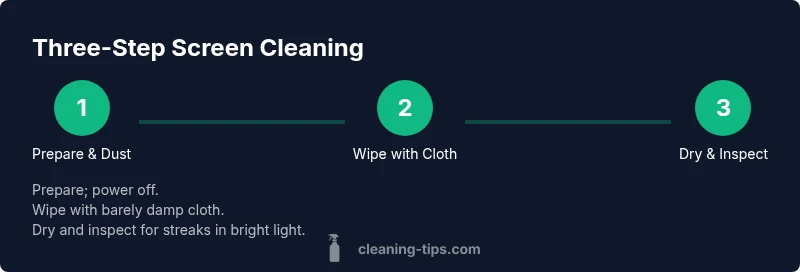
Use a dry portion of the microfiber cloth to buff the screen and remove any remaining moisture. Inspect under bright light for streaks or smudges; if present, repeat the light wipe with a fresh cloth edge.
Tip: A second pass with a dry edge helps prevent ghosting. - 6
Clean bezels and ports separately
Wipe bezels with the same damp cloth, being careful around ports and speaker openings. Do not let moisture accumulate near openings; if necessary, use a cotton swab dampened lightly to reach tight spots.
Tip: Keep moisture away from the internal components by avoiding the ports. - 7
Reassess after drying
After the screen dries, turn the TV back on and check for uniform brightness and color. If you notice any haziness, repeat the appropriate gentle wipe with a fresh cloth. Allow the screen to acclimate before heavy viewing.
Tip: Patience pays off—over-wiping can damage coatings. - 8
Store cleaners safely
Return cleaners to a cool, dry place away from children and pets. Label spray bottles clearly and avoid mixing cleaners. Use dedicated cloths for screens to prevent cross-contamination with other surfaces.
Tip: A clean, organized setup prevents mistakes later on. - 9
Establish a routine
Create a simple weekly or biweekly cleaning plan to avoid buildup. Regular maintenance is safer than aggressive, infrequent deep cleaning, which can stress the coatings over time.
Tip: Consistency reduces risk and keeps the display looking its best.
Questions & Answers
Can I use vinegar on my TV screen?
Vinegar can degrade coatings over time, so avoid it unless your manufacturer approves it. Prefer distilled water or a screen-safe cleaner.
Vinegar can damage coatings, so stick with distilled water or a screen-safe cleaner unless your TV maker says it’s okay.
Is it safe to clean a touchscreen TV with alcohol?
Only use alcohol if the manufacturer approves it and always dilute and apply to the cloth, not directly on the screen. Test first on a hidden area.
Only use alcohol if your manufacturer approves it, and test on a hidden spot first.
Should I spray cleaner directly on the screen?
No. Always spray onto the cloth and then wipe the screen to prevent liquid from seeping into the edges or ports.
Never spray directly on the screen; spray onto the cloth first and wipe gently.
Do I need to unplug the TV before cleaning?
Yes. Unplugging eliminates the risk of electric shock and sensor interference while you clean.
Yes, unplug before cleaning to stay safe.
Can I use water-only cleaning every time?
Water-only cleaning is safe for routine smudges. For tougher grime, add a mild screen-safe cleaner applied to the cloth.
Water-only cleaning is safe for routine smudges; use a mild cleaner if needed.
How often should I clean my TV screen?
Clean as needed for smudges and dust, with a light weekly wipe as a good maintenance habit.
Clean as needed for smudges, with a light weekly wipe as a habit.
Watch Video
The Essentials
- Unplug and power down before cleaning
- Wipe with a barely damp microfiber cloth
- Never spray directly on the screen
- Test cleaners on a small area first
- Use distilled water and avoid harsh solvents