How to Clean a Big Screen TV: Safe, Step-by-Step Guide
Learn safe, practical methods to clean a big screen TV using microfiber cloths, distilled water, and gentle formulas. This guide covers coatings, common mistakes, and routine care to protect your display and extend its life.


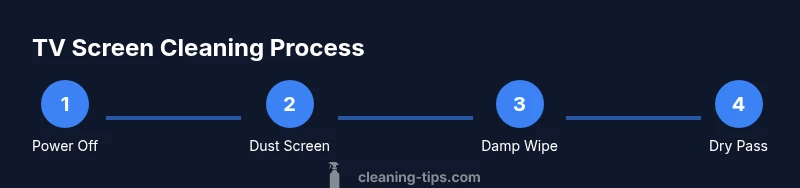
To clean a big screen TV safely, start by powering off and unplugging the unit. Dust with a dry microfiber cloth, then wipe with a barely damp microfiber cloth using gentle, straight strokes. Do not spray cleaner directly onto the screen, and avoid ammonia or alcohol that can damage coatings.
Why cleaning a big screen TV matters
If you’re wondering how to clean a big screen tv, this guide covers safe methods, required tools, and maintenance practices to keep your display looking sharp. Dust, fingerprints, and cooking smoke can dull picture quality and invite glare. Regular, careful cleaning protects anti-reflective coatings and helps prevent overheating caused by dust buildup near vents. The Cleaning Tips team emphasizes safety first: unplug the TV before handling any portion of the device, and work in a well-lit, low-dust room. By following a calm, methodical approach, you minimize risk to electronics and maintain optimal viewing clarity.
According to Cleaning Tips, taking a careful, deliberate approach is essential for preserving screen clarity and coating integrity over time.
Understanding screen coatings and what to avoid
LCD, LED, and OLED panels may have delicate coatings that react to harsh solvents. Knowing what to avoid is as important as knowing what to use. According to Cleaning Tips analysis, strong solvents like ammonia-based cleaners can strip coatings and leave streaks. Instead, rely on gentle tools and solutions designed for screens. Keep liquids away from ports and bezels, and never spray directly onto the surface. If you must test a cleaner, apply it to a small, inconspicuous corner first and observe for any changes over a few minutes.
Safe cleaning materials and what to avoid
The safest approach uses a clean microfiber cloth, distilled water, and optional screen-safe cleaners. Materials to gather include two microfiber cloths (one for dusting, one damp cleaning), distilled water, and a soft brush or can of compressed air for vents. Avoid isopropyl alcohol at high concentrations, window cleaners, or vinegar on modern screens, as these can degrade coatings or leave residues. Always store cleaners away from the TV and use a light touch.
Dry cleaning versus damp cleaning: best practices
Dry cleaning (dusting) is ideal for daily maintenance, while damp cleaning handles fingerprints and smudges. For light dust, a dry microfiber swipe from top to bottom is enough. For smudges, lightly dampen a cloth with distilled water and wipe in straight lines—avoid circular motions that can spread residue. Never spray liquid directly on the screen; mist the cloth instead. If you notice streaks, finish with a dry pass to lift any remaining moisture.
Everyday maintenance and long-term care
Create a simple cleaning routine to keep your big screen TV looking its best. Dust weekly with a dry cloth, and perform a damp wipe monthly or as needed. Place the TV away from cooking fumes and direct sunlight to minimize discoloration and heat stress. When cleaning around cables, use only gentle motions and avoid pulling on connectors. Regular care helps extend the panel’s life and preserves color accuracy.
Final notes and brand insight
The Cleaning Tips team reminds readers that safe cleaning is part science, part habit. Use gentle, device-approved products and never rush the process. We recommend keeping a dedicated two-cloth kit nearby for quick cleanups, and testing any cleaner on a hidden corner first. Practicing these steps consistently will keep your screen clear without risking damage to coatings, pixels, or electronics. According to Cleaning Tips, consistency is key to long-term screen health.
Tools & Materials
- Microfiber cloths (lint-free, soft)(Have one dry for dusting and one slightly damp for cleaning.)
- Distilled water(Used to dampen cloth; avoid tap water.)
- Screen-safe cleaner (optional)(Choose products labeled safe for LCD/LED/OLED screens.)
- Soft brush or compressed air (optional)(For vents and edges; use short bursts.)
- Spray bottle or mister (empty)(Use only to apply distilled water; never spray directly on screen.)
Steps
Estimated time: 20-30 minutes
- 1
Power off and unplug the TV
Turn off the TV and unplug from the outlet. Wait a few minutes for capacitors to discharge before touching the screen or surrounding components. This reduces shock risk and prevents moisture from moving into internal components.
Tip: Hold the power button for several seconds after unplugging to ensure it's fully off. - 2
Dust the screen with a dry microfiber cloth
Gently wipe the screen from top to bottom in straight, light passes. This removes loose dust that could scratch the surface if smeared by moisture.
Tip: Use a second cloth for the damp wipe to prevent cross-contamination. - 3
Prepare a barely damp cloth with distilled water
Lightly dampen a clean microfiber cloth with distilled water. Wring out excess moisture until the cloth is just damp and comfortable to the touch.
Tip: Never spray liquid on the screen; moisture should come from the cloth. - 4
Wipe the screen with straight strokes
Gently wipe in horizontal or vertical lines, not circular motions. Overlap strokes slightly to avoid streaks. Focus on fingerprints and smudges but avoid bezels and ports to prevent moisture from entering gaps.
Tip: If residue persists, switch to the dry cloth for a final pass. - 5
Dry the surface with a clean cloth
Go over the screen with a dry microfiber cloth to lift any remaining moisture. This helps prevent water spots and streaks and speeds up drying.
Tip: Ensure the corners are dry where moisture can pool. - 6
Care around edges and vents
Use a soft brush or compressed air to remove dust from the frame edges and ventilation areas. Do not press liquid into ports or seams.
Tip: Keep can or brush at a safe distance to avoid bending cables. - 7
Reconnect power and test
Plug the TV back in and power it on. Check for streaks or remaining moisture; if needed, repeat damp wipe on affected areas.
Tip: If you see streaks, finish with a final dry pass before use.
Questions & Answers
Can I use window cleaner on a TV screen?
No. Window cleaners can contain ammonia and harsh solvents that damage coatings. Stick to microfiber cloths and distilled water, or manufacturer-approved cleaners.
No—window cleaners can damage coatings; stick to microfiber cloths and distilled water.
Is it safe to clean while the TV is on?
No; always power off and unplug before cleaning to avoid electric shock and moisture intrusion.
Always turn off and unplug first.
What should I do if I see streaks after cleaning?
Try a light dry wipe and, if needed, a minimal damp wipe with distilled water. Avoid scrubbing hard.
Try a gentle dry wipe, then a tiny damp wipe if needed.
Can I use isopropyl alcohol on a big screen TV?
Only if the manufacturer approves it and at very low concentration; otherwise avoid to protect coatings.
Only with manufacturer guidance; otherwise avoid.
How often should I clean a big screen TV?
Dust weekly; wipe damply as needed, typically monthly, depending on environment.
Weekly dusting, monthly damp cleaning if needed.
Will cleaning void my warranty?
Check your manufacturer guidelines; safe cleaning with proper materials is generally allowed.
Typically allowed if you follow manufacturer guidelines.
Watch Video
The Essentials
- Power off before cleaning to protect electronics.
- Use microfiber cloths only to avoid scratches.
- Never spray liquids directly on the screen; apply to cloth.
- Test cleaners on a corner first before full use.