What to Clean TV Screen With: Safe Cleaning Guide
Learn safe methods for cleaning TV screens. This guide covers approved cleaners, step-by-step techniques, and tips to avoid streaks, coatings damage, and moisture intrusion for LCD, LED, OLED, and plasma displays.


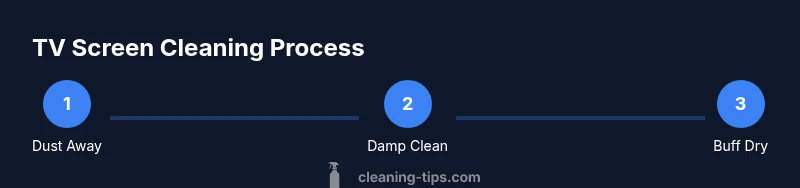
To clean a TV screen safely, power off the set and unplug if possible. Use a dry microfiber cloth or a cloth lightly dampened with distilled water (never spray liquids directly on the screen). Avoid alcohol, ammonia, or window cleaners. Wipe gently in circular motions, then dry with the same cloth to prevent streaks.
Why cleaning TV screen matters
Television displays range from OLED to LCD, and the protective coatings on modern screens can be damaged by improper cleaners or excess moisture. Cleaning the screen properly helps preserve brightness, colors, and anti-reflective coatings, ensuring longer life and better viewing without residues. According to Cleaning Tips, safe TV cleaning starts with minimal moisture and gentle tools, not aggressive liquids. When you know what to clean tv screen with, you can remove dust, fingerprints, and smudges without risking image quality. This section explains why a careful approach matters for different panel technologies, from plasmas to newer OLEDs, and how even small mistakes can lead to micro-scratches or clouding over time. The goal is to keep the surface clear while protecting delicate coatings and electronics behind the glass, so you’ll enjoy crisp black levels and accurate color accuracy after every wipe.
Key ideas include using the right tools, avoiding direct spray, and selecting moisture levels that are just enough to lift grime without saturating the screen. Building good cleaning habits now will save you time later and reduce the need for polishers or professional servicing. Cleaning Tips emphasizes that gentle, measured cleaning with the correct materials yields the best results and minimizes risk.
In practice, a clean screen starts with a dry microfiber cloth that traps dust effectively, followed by a very lightly damp cloth for smudges. Always power down the TV to avoid capacitive touch or ghosting during cleaning, and keep liquids away from ports and speaker grilles. For households with pets or kids, a routine that reduces residue will also reduce fingerprint buildup on your screen over time.
Safe cleaners for TV screens
The safest cleaners for what to clean tv screen with are simple and widely available. The core principle is to minimize liquids and avoid harsh chemicals that can damage coatings over time. A clean, dry microfiber cloth can remove most dust and fingerprints without liquids, while a cloth dampened with distilled water can lift more stubborn smudges. As a rule of thumb, avoid products containing ammonia, acetone, vinegar-based mixtures, or window cleaners, since these agents can degrade anti-reflective coatings or cause halos around bright areas. A light, distilled-water mist used on a microfiber cloth provides gentle, uniform coverage without pooling. For those who need a stronger solution, dilute isopropyl alcohol with distilled water (about 50/50) and test on a small corner first. When used correctly, this approach reduces streaks and keeps the screen clear.
Other practical tools include a dedicated microfiber cloth (two sides—one for dust, one for damp cleaning), a microfiber-friendly final buff, and a clean, dry surface to place the TV on during cleaning. Avoid gray kitchen towels, newspaper, or rough fabrics that can scratch or leave fibers behind. The Cleaning Tips framework recommends that you always start with the least moisture and escalate only if necessary. This way, you protect the delicate surface while achieving a pristine, glare-free finish.
Note that some cleaners are marketed specifically for electronics, but you should still exercise caution and test on a tiny area first. If you choose a ready-made electronics cleaner, ensure it’s labeled as safe for acrylic or polycarbonate coatings and follow the manufacturer’s instructions. This section will help you identify the best approach based on your screen type and coating, so you know exactly what to clean tv screen with for optimal results.
What to avoid and why
There are several common mistakes people make when cleaning TV screens. Spraying cleaners directly onto the screen can cause liquid to seep into seams and circuitry, potentially damaging the display or creating internal moisture problems. Ammonia- or vinegar-based cleaners can degrade anti-reflective coatings; acetone and paint-thinner solvents may aggressively strip protective layers. Paper towels and rough cloths can scratch or leave lint behind, especially on large screens where streaks are more visible. Even some “electronics wipes” contain alcohol or solvents that build up over time, leaving a cloudy or uneven appearance. The safest approach is to use a dry microfiber cloth for dust, then a cloth slightly dampened with distilled water for smudges, and never apply liquids directly. If in doubt, consult your TV’s manual or reach out to the manufacturer’s guidelines for recommended cleaners.
Another pitfall is using heat or steam near the screen, which can cause the protective layers to warp or crack. Do not press hard or scrub aggressively, because excessive pressure can crack the LCD or OLED layers. And avoid commercial spray cleaners designed for glass windows, which may be too harsh for electronics. Sticking to a simple, consistent method reduces the risk of damage and yields better long-term performance. Remember: the goal is to remove grime without introducing moisture that can seep into electronics or coatings.
How to prep your space and test first
Before you begin, unplug the TV and move it away from walls or open windows to prevent drafts that might blow dust into the chassis during cleaning. Clear the area of any nearby liquids or snacks to minimize spill risk. Choose a clean, lint-free microfiber cloth labeled safe for electronics. If you plan to use a damp cloth, prepare a small bowl with distilled water, never pour liquid directly onto the screen. Test any new cleaner on a discreet corner of the screen or the bezel to ensure there is no adverse reaction. This step is essential because some displays may react differently to moisture, and testing helps you avoid visible damage.
During testing, observe for any changes in color, gloss, or hazing, and stop if you notice any adverse signs. Keep a dry cloth nearby to remove excess moisture quickly. If you detect any moisture creeping toward the edge of the display, stop and revisit your method. A careful, deliberate approach will protect your screen and ensure long-term clarity.
Cleaning different screen types and finishes
TV screens come in a range of technologies, each with its own sensitivities. OLED panels have very fine coatings and are prone to image retention if aggressively cleaned; LCD/LED panels may have anti-reflective coatings that can be damaged by harsh solvents. Plasma screens, though less common now, require similar care to avoid chemical exposure to protective layers. Anti-glare finishes can be especially sensitive to moisture, which is why distilled water is preferred over tap water. In all cases, use the gentlest method first and reserve damp cloths for stubborn smudges. If your display has a protective film or screen protector, you can clean around it carefully, but avoid applying liquid behind the film. When in doubt, refer to the screen’s manual for specific recommendations on what to use for cleaning and which cleaners to avoid. Consistency matters: use the same mild technique across all surfaces to maintain an even look and prevent streaking.
Some readers may wonder whether a slightly damp cloth is safe for television speaker grilles or bezels. The answer is yes, as long as you aren’t pushing liquid into openings. Wipe the bezel with a dry or slightly damp cloth to lift oils from your hands. If your TV uses a glass cover, exercise additional care to minimize pressure and avoid circular scrubbing that can cause micro-scratches. The bottom line: tailor your approach to your screen type, keep liquids away from ports, and always begin with dry cleaning before advancing to damp methods.
Practical tips for streak-free results
To achieve a streak-free finish, adopt a consistent motion pattern. Wipe in gentle, straight lines or perfect circles, then switch directions to prevent cross-streaks. Use a fresh edge of the microfiber cloth for stubborn spots and ensure the cloth is free of debris that could scratch the surface. Keep a dry microfiber cloth handy to buff the surface after damp cleaning. If you notice streaks, repeat with a lighter touch and shorter passes across the same area. Finally, check the surface under bright lighting to spot any remaining smudges and address them with a single, precise pass.
For households with pets, hair and dust particles can accumulate quickly on screens. A routine that combines regular dusting with periodic damp cleaning can help maintain clarity without leaving a soapy or wet residue. Remember to store your cleaning supplies in a safe place away from children and pets, and label any bottles clearly if you use a spray bottle. A little discipline in your cleaning routine goes a long way in preserving screen quality.
Common mistakes and how to fix them
Common mistakes include using direct spray on the screen, using strong solvents, and relying on paper towels or rough fabrics. If you notice hazing after cleaning, you likely used too much moisture or a strong chemical that affected the coating. Fix this by immediately drying the area with a clean microfiber cloth and switching to distilled water for future cleanings. If streaks persist, consider performing a light buff with a dry microfiber cloth after a damp wipe, ensuring you don’t press hard. If coatings appear cloudy after repeated cleaning attempts, consult the manufacturer’s guidance for approved cleaners, or consider contacting customer support for device-specific recommendations. Regular maintenance with a light touch is more effective than aggressive scrubbing, preventing the need for corrective cleaning.
Finally, avoid household solvents around the screen and bezel. These products can degrade protective layers and cause long-term damage. By adopting safer cleaning agents and a gentle approach, you reduce the risk of harm and maintain the screen’s brightness and contrast.
Quick maintenance routine for long-term screen clarity
Create a simple maintenance schedule to keep your TV screen looking its best. Dust the screen weekly with a dry microfiber cloth to prevent buildup that can become smudges. Perform a damp wipe every few months or when fingerprints become visible, using distilled water on a microfiber cloth and avoiding direct spray. After cleaning, buff the surface with a dry cloth to restore shine and remove water marks. With consistent care, your display will maintain vivid colors and crisp details for longer, reducing the need for aggressive or frequent cleanings. The simplest routine is often the most effective, especially when you combine dusting with occasional damp cleaning.
Tools & Materials
- Microfiber cloth (dry)(Lint-free and clean; use for dusting)
- Microfiber cloth (slightly damp)(For smudges; do not soak)
- Distilled water(Moisture source; avoid tap water)
- Isopropyl alcohol 70% (optional, diluted)(Dilute 50/50 with distilled water; test first)
- Spray bottle(Optional for premixed solution; do not spray directly on screen)
- Soft brush or can air blower(Dusts from edges and ports; use gently)
Steps
Estimated time: 10-15 minutes
- 1
Power down and unplug
Turn off the TV and unplug if safe to do so. This reduces the risk of electric shock and prevents input interference while you clean. Wait a moment for any residual charge to dissipate, especially on plasmas or older displays.
Tip: Rest the remote aside to avoid accidental power-on during cleaning. - 2
Dust the screen with a dry microfiber cloth
Gently wipe the screen with a dry microfiber cloth in a consistent pattern to remove loose dust. Do not press hard; let the cloth do the work to avoid scratching the surface.
Tip: If dust is stubborn, use a soft brush to lift it before wiping. - 3
Dampen the cloth with distilled water
Dampen a microfiber cloth with distilled water only, no puddles. Wring thoroughly so it’s just damp, not wet, to prevent liquid from seeping into edges.
Tip: Never spray liquid directly on the screen. - 4
Wipe the screen in gentle, circular motions
Use small, circular motions to lift smudges. Start from the center and move outward to corners, keeping the cloth flat and without pressure that could scratch the surface.
Tip: Wipe in one direction first, then rotate and wipe again to check for streaks. - 5
Buff dry with a clean microfiber cloth
Use a dry cloth to remove any remaining moisture and to buff the surface for a streak-free finish. Check under bright light for any missed spots.
Tip: Swap to a fresh dry area of the cloth if it accumulates grime. - 6
Inspect and re-clean if needed
Look for any streaks or smudges and repeat the damp-and-dry steps only on affected areas. Do not re-wet widely; excess moisture can seep into electronics.
Tip: If unsure, test a small corner first before applying to visible areas.
Questions & Answers
Can I use water alone to clean a TV screen?
Water alone is often sufficient for light dust and fingerprints. Use a dry microfiber cloth first, then a cloth dampened with distilled water for tougher smudges. Avoid excessive moisture and never spray directly on the screen.
Water alone can work for light cleaning, but always use a dry cloth first and never spray directly on the screen.
Is it safe to spray cleaner directly on the screen?
No. Spraying liquids directly onto the display can cause liquid to seep into seams and cause damage. Always apply cleaner to a cloth, not the screen itself.
Do not spray cleaners directly on the screen; apply to a cloth instead.
What should I do if I see streaks after cleaning?
Buff with a dry microfiber cloth and, if needed, repeat with a slightly damp cloth using less moisture. Check under strong light to identify remaining streaks and avoid over-wetting the screen.
If you see streaks, buff with a dry cloth and repeat with minimal moisture, checking under bright light.
Can I use alcohol on OLED screens?
Alcohol can damage some OLED coatings. If you choose to use alcohol, dilute with distilled water (about 50/50) and test on a corner first. Prefer milder methods whenever possible.
Alcohol can harm OLED coatings; dilute and test first, and usually stick with milder methods.
How often should I clean a TV screen?
Clean as needed to maintain clarity and reduce fingerprint buildup. Regular dusting with a dry cloth can minimize the need for damp cleanings.
Clean as needed, with regular dusting to prevent buildup.
Are screen protectors safe with cleaning solutions?
Most protectors tolerate mild cleaning solutions, but always verify with the protector’s manufacturer. Use gentle, non-abrasive cloths and avoid excess moisture around the edges.
Most protectors tolerate mild cleaners; check manufacturer guidelines and avoid excess moisture.
The Essentials
- Power down before cleaning to protect electronics.
- Use distilled water and microfiber cloths to minimize residue.
- Avoid direct spray and harsh solvents on screens.
- Test cleaners on a small area first.
- Wipe gently and buff for a streak-free finish.