How to Clean a Flat Screen TV
A practical, step-by-step guide to cleaning your flat screen TV safely, protecting coatings, and avoiding streaks for optimal picture quality.


Learn how to safely clean a flat screen TV by unplugging it, using a microfiber cloth lightly dampened with distilled water, and avoiding cleaners that contain ammonia or alcohol. Dry with a separate cloth and follow these steps to protect coatings and maintain display quality.
Safety and prep before cleaning
Cleaning a flat screen TV requires patience and respect for the display's delicate coatings. Always unplug the TV from the wall outlet and power strip before you start. If the unit has recently been on, allow it to cool for several minutes; cleaning a warm screen can cause uneven drying or steam buildup. Keep liquids away from ports, speakers, and vents. Work on a clean, flat surface in a low-dust room to minimize particles that can scratch the screen. Use a separate power source so you don’t trip a breaker while you reach for supplies. This initial safety discipline helps prevent shocks, moisture damage, and warranty concerns. According to Cleaning Tips, safe TV cleaning starts with proper prep to protect coatings and electronics from moisture intrusion.
- Have a stable workspace and good lighting so you can see smudges clearly.
- Remove any decorative items around the TV to create a clear cleaning zone.
- If your screen ever requires more aggressive cleaning, consult the manufacturer’s care guide first to avoid voiding warranties.
These precautions set the stage for a safe, effective cleaning session and help you avoid common mishaps like moisture creeping into speaker grilles or around the power input.
Understanding screen coatings and cleaners
Most modern flat panel TVs use anti-reflective and anti-fingerprint coatings that can be damaged by harsh cleaners. Harsh solvents (ammonia, acetone, or high-concentration alcohol) can strip coatings or leave behind hazy residues. Instead, rely on gentle, screen-safe methods. Avoid spraying liquids directly onto the screen; always apply to a cloth first. If your manufacturer recommends a specific cleaner, use it sparingly and test on a small corner before proceeding to the entire screen. This is especially important for OLED and LED/LCD panels where coatings differ slightly in chemistry. The goal is to remove fingerprints and dust without introducing streaks or micro-scratches. Cleaning Tips analysis shows that using distilled water and microfiber reduces streaks compared with tap water and rough fabrics.
- Never use household window cleaners or products containing ammonia.
- Do a quick corner test to ensure compatibility with coatings.
- Consider the screen type (OLED vs LCD) and follow the manufacturer’s guidelines for best results.
By understanding coating sensitivities, you’ll choose compatible tools and liquids that preserve screen fidelity for years to come.
Choosing cleaners and cloths
The safest cleaning setup uses a microfiber cloth and distilled water. If you must use a cleaner, opt for a mild, screen-safe solution or a very dilute mixture approved by the display’s maker. Never spray cleaner directly onto the screen; mist liquid onto the cloth or dampen it lightly, then wipe. Keep liquids away from bezels and port openings. When you wipe, use gentle, even strokes rather than circular scrubbing, which can create micro-scratches over time. For stubborn smudges, reapply with a fresh section of the cloth rather than pressing harder. The Cleaning Tips team emphasizes this gentle, controlled approach to maintain clarity and avoid residual haze.
- Use two clean microfiber cloths: one for the initial wipe, one for drying/polishing.
- If you use alcohol, keep the concentration very low and test first.
- Never reuse dirty cloths on the screen; contaminated fibers can scratch or spread grime.
Choosing the right textiles and liquids minimizes risk and leads to a cleaner, clearer picture. This is especially important in rooms with bright lighting where glare highlights any missed spots.
Step-by-step cleaning workflow overview
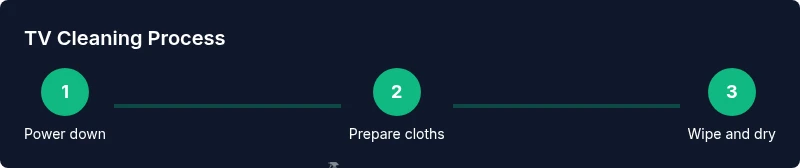
This section provides a high-level workflow you’ll follow before diving into the detailed steps. Start with a quick safety check, gather materials, and create a clean space. Then, work in small sections, maintaining consistent pressure and motion. After the screen is clean, inspect for streaks in different lighting and address them with a fresh cloth. Finally, reassemble and reconnect to test the display. This overview keeps you organized and reduces the chance of any single misstep derailing the process. Cleaning Tips recommends a calm, methodical pace to achieve streak-free results without risking moisture exposure to internal components.
- Prioritize safety: unplug and cool down.
- Use fresh cloth sections to prevent re-smearing.
- Work in a dust-free area to avoid new particles landing on a cleaned surface.
With the right sequence, you’ll achieve a pristine surface without harming the screen’s protective coatings.
Caring for bezels, speakers, and ports
Bezel cleaning is often overlooked, but dust and oils accumulate there too. Wipe bezels with a lightly damp cloth, using the same gentle motion as the screen. If you must clean around ports, use a dry brush or compressed air to avoid direct moisture intrusion. Be mindful of remote controls, power strips, and HDMI ports; wipe them separately with a dry or slightly damp cloth. By extending the same care to edges and adjacent components, you prevent grime buildup that can transfer to the screen during future cleanings. Regularly dusting the area around the TV reduces the workload of deep clean sessions and helps maintain a crisp picture at all times.
Maintenance and long-term care
Establish a regular cleaning cadence that fits your household. Light dusting weekly and a deeper wipe every 4–6 weeks can keep screens looking fresh without heavy abrasion. Consider room humidity and air quality; dry, dusty environments tend to require more frequent cleaning. If you ever notice unusual spots or burn-in concerns, consult the manufacturer’s support site before attempting any aggressive cleaning. Consistency matters more than frequency; a simple routine reduces the risk of coatings deterioration and keeps your viewing experience optimal. The Cleaning Tips team notes that steady, careful maintenance yields the best long-term results for home electronics care.
Common mistakes and how to avoid them
Even small missteps can degrade screen quality over time. Avoid pressing hard, which can scratch or flex the panel. Never use paper towels, tissues, or rags with rough fibers that can leave scratches. Don’t spray liquids directly on the screen, and never apply cleaners containing solvents to bezels or around ports where moisture could seep inside. If you’re cleaning a large screen, work in sections to prevent pooling liquids on the surface. These practices reduce streaks, smudges, and potential damage, ensuring your TV remains clear and vibrant for years to come.
Quick-start reference: at-a-glance checklist
- Unplug and cool the TV before cleaning.
- Use two clean microfiber cloths and distilled water.
- Never spray liquids on the screen; mist onto the cloth.
- Wipe with light, even strokes; test in a corner first.
- Dry with a separate cloth and check under different lighting.
- Clean bezels and ports with care, using dry methods where possible.
- Reconnect power and test the display after cleaning.
Tools & Materials
- Microfiber cloths (lint-free, soft)(At least two for wiping and drying; avoid any fabric that lint or fibers shed.)
- Distilled water(Avoid tap water to prevent mineral streaks.)
- Mild, screen-safe cleaner (optional)(Only if approved by the manufacturer; otherwise rely on distilled water.)
- Spray bottle (optional)(If used, spray onto cloth, not directly onto screen.)
- Isopropyl alcohol (70% or less, optional)(Use only diluted according to manufacturer guidance; test first.)
- Soft brush or compressed air (optional)(For dust in bezels and ports; keep liquids away.)
Steps
Estimated time: 15-25 minutes
- 1
Power down and unplug
Turn off the TV and unplug the power cord. If the unit was recently on, wait 5–10 minutes to cool. This reduces the risk of thermal expansion affecting the screen and ensures moisture doesn’t get drawn into electronics.
Tip: Clear a safe path to the outlet so you don’t trip while handling cords. - 2
Prepare your cleaning materials
Set out two clean microfiber cloths and a small amount of distilled water. If you’re using a cleaner, apply it to the cloth first. Never pour liquid directly onto the screen; this helps prevent moisture seepage into the frame.
Tip: Label one cloth for damp wiping and the other for drying to avoid cross-contamination. - 3
Wipe the screen gently
Lightly wipe the screen with the damp cloth using straight, gentle strokes or a circular motion from edge to center. Do not press hard; excessive pressure can damage the coating. If the smudges persist, switch to a fresh section of the cloth and repeat.
Tip: Work in small areas to avoid large areas drying unevenly. - 4
Dry and inspect for streaks
Use the second dry microfiber cloth to remove any remaining moisture and buff the surface to a streak-free finish. Examine the screen at varying angles under bright light to catch any remaining residue. If streaks appear, repeat the damp-dry cycle with a fresh cloth.
Tip: A microfiber cloth with a light touch yields the best shine without scratches. - 5
Care for bezels and ports
Wipe bezels with a damp cloth as needed, avoiding ports and openings. For dusty ports, use a soft brush or compressed air from a safe distance. Keep moisture away from speaker grilles and back panels to prevent moisture migration.
Tip: Never spray liquid into any openings; use a dry brush or a lightly damp cloth instead. - 6
Reconnect and test
Plug the TV back in and turn it on to verify display clarity. If you notice smudges under certain lighting, go back and re-clean the affected area with a fresh cloth. Ensure all cables are reconnected securely.
Tip: Take a quick look at the picture quality after normal viewing to confirm evenness. - 7
Establish a maintenance routine
Set a simple schedule for regular light dusting and periodic deeper cleanings. Short, frequent sessions preserve coating integrity better than rare, aggressive cleans. Adjust frequency based on room conditions like dust levels and humidity.
Tip: Keep a timer or calendar reminder so you don’t skip routine care.
Questions & Answers
Can I use window cleaner on my TV screen?
No. Window cleaners often contain ammonia or harsh solvents that can damage coatings. Use distilled water and a microfiber cloth, or a manufacturer-approved cleaner.
No. Window cleaners can damage the screen coatings. Use water and microfiber, or a product your maker approves.
Is it safe to clean the TV while it's plugged in?
It’s best to unplug the TV before cleaning. This reduces shock risks and prevents moisture from reaching internal components.
Unplug the TV before cleaning to stay safe and avoid moisture near the electronics.
Should I spray liquid directly on the screen?
No. Always apply liquid to a cloth first and then wipe the screen. Spraying directly can cause liquid to seep into the device.
Never spray directly on the screen; apply to the cloth first.
Can I use any microfiber cloth on an LCD/LED TV?
Yes, but ensure the cloth is clean and lint-free. Avoid rough or textured fabrics that can scratch the surface.
Yes, use a clean, lint-free microfiber cloth to prevent scratches.
How often should I clean a flat screen TV?
Clean as needed based on dust and fingerprints. A light weekly dusting plus deeper cleans every 4–6 weeks works for many homes.
Clean as needed; many people dust weekly and deep-clean monthly.
What if there are stubborn smudges?
Re-wipe with a fresh cloth using a lighter touch. If needed, use a manufacturer-approved cleaner sparingly and test first in a hidden area.
Try a fresh cloth with a lighter touch, and test any cleaner first.
Watch Video
The Essentials
- Power down before cleaning and unplug the TV.
- Use microfiber cloths and distilled water only.
- Never spray liquids on the screen; spray onto cloth instead.
- Wipe with gentle strokes and test in a corner first.
- Dry thoroughly and inspect under different lighting.