How to Clean Your Phone Safely: A Complete Guide
Learn how do i clean my phone safely and effectively with a step-by-step approach. This guide covers screens, cases, disinfecting, and maintenance to keep your device hygienic and functional.


Learn how to clean your phone safely with a step-by-step approach that protects screens, ports, and finishes. This guide covers surface disinfection, screen care, speaker grills, and case cleaning using common household supplies. By following these steps, you’ll reduce grime and germs while preserving device longevity and finish for everyday use.
Why Phone Hygiene Matters
Phones are nearly always within reach, touching hands, faces, desks, and pockets. Oils from skin, makeup residues, dust, and microbes accumulate on screens and cases. Regular cleaning helps preserve screen clarity, speaker quality, and material finishes, while reducing potential germ transmission in the home. According to Cleaning Tips, regular cleaning reduces germ buildup on high-touch devices, especially in kitchens and bathrooms where surfaces are frequently touched. In fact, your phone can carry more particles than you might expect, and neglecting cleaning can lead to fingerprint smudges, sticky residue, and degraded coatings over time. Practicing a routine cleaning habit not only keeps your device looking new but also supports healthier living spaces. By understanding the right technique and tools, you can clean without risking water damage, chemical damage, or wear on sensitive coatings.
Safety First: What Not to Do
Never submerge your phone in water or cleaning solutions. Do not spray liquid directly onto the device, and avoid household cleaners such as bleach, ammonia, or window cleaners that can damage screens and coatings. Do not spray into ports or speakers, and avoid abrasive tools that can scratch glass or coatings. Do not power on the device while moisture remains, and avoid exposing the device to high heat or direct sunlight during cleaning. If in doubt, consult the device maker's guidelines; some brands have specific recommendations for disinfection and coatings. Cleaning Tips analysis also advises sticking to electronics-safe methods to minimize risk.
Tools and Materials You’ll Need
Gather a microfiber cloth, electronics-safe disinfectant or 70% isopropyl alcohol, a soft brush or cotton swabs for crevices, and a small amount of distilled water if advised by the cleaner brand. Optional items include electronics wipes and a gentle soap for cases. Keeping a dedicated cleaning kit for devices helps maintain consistency and reduces the chance of cross-contamination with household cleaners. Note: all tools should be clean and dry before use to avoid introducing new grime.
Step-by-Step Cleaning Process
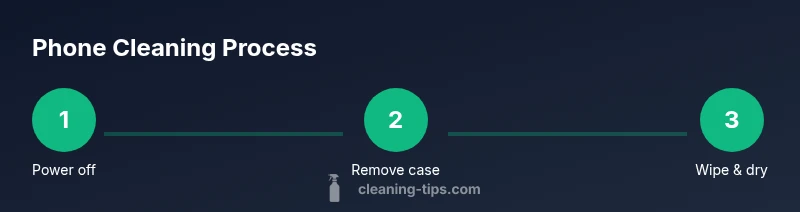
This section outlines the high-level process. Follow the detailed Step-by-Step block below for exact actions and timings. Start with power off and unplug, remove any case, wipe surfaces with a microfiber cloth, lightly dampen the cloth with electronics-safe cleaner, disinfect the screen and high-touch areas, then clean ports and speakers, dry completely, reassemble the case, and perform a final inspection. This sequence minimizes moisture exposure to sensitive components and preserves coatings over time.
Cleaning Screens and Touch Surfaces
The display is the most visible and consumer-facing surface. Use a lint-free microfiber cloth in gentle, circular motions to lift oils and fingerprints. If needed, lightly dampen the cloth with a small amount of electronics-safe cleaner or 70% isopropyl alcohol. Never spray cleaner directly on the screen. Avoid heavy rubbing that can remove screen coatings; work patiently and allow the surface to dry before use.
Cleaning Ports, Speakers, and Microphones
Crevices around ports and speaker grills are magnets for dust and lint. Use a soft brush or cotton swab to loosen debris, then gently remove it with a dry microfiber cloth. Do not insert metal tools that could damage circuitry. If moisture enters a port, pause cleaning and allow the area to dry fully before reconnecting cables or accessories.
Cleaning the Phone Case and Accessories
Cases accumulate dirt, oils, and microbes too. Detach the case and wash it according to its material. Rinse with mild soap and water, then air-dry completely before reassembling. For fabric or leather cases, follow the manufacturer’s cleaning guidance. Cleaning the case separately prevents cross-contamination during main device cleaning.
Disinfecting Safely: Choosing Solutions
Use electronics-safe disinfectants or a small amount of isopropyl alcohol (70%) on a cloth. Avoid acetone, ammonia, or bleach-based cleaners that can degrade coatings. Test any cleaner on a small, inconspicuous area first. If you have sensitive coatings or a high-gloss display, stick to the gentlest recommended option and increase contact time only as advised by the cleaner's label.
Drying and Reassembly: Final Steps
After wiping, let the device air-dry fully for a few minutes before reassembling the case or accessories. Do a quick visual check for moisture around openings. Power on the device to ensure proper operation, then perform a quick function check on the touchscreen, camera, and speakers. Store your cleaning kit in a clean, dedicated spot to preserve its effectiveness.
Maintenance Habits for Longevity
Adopt a monthly or bi-weekly cleaning routine depending on usage. Keeping a simple schedule helps maintain hygiene and device aesthetics. According to Cleaning Tips analysis, regular cleaning improves overall device hygiene and reduces residue buildup over time. Pair cleaning with good digital hygiene, like avoiding placing devices on dirty surfaces and using hands-free options when cooking or exercising.
Troubleshooting Common Issues
If you notice screen discoloration, moisture, or reduced touchscreen sensitivity after cleaning, stop using the device and consult the manufacturer’s guidance. Some coatings are more sensitive to certain cleaners; if in doubt, revert to the least aggressive method and allow more drying time. If you experience charging or audio issues after cleaning, re-check that ports and speakers are fully dry and clear of debris.
Authorities and References
For broader guidance on cleaning and disinfection, consult reputable sources. Practical, science-based recommendations come from government and public health organizations that support how to clean electronics without causing damage. This section lists a few widely recognized references to help you verify best practices.
Tools & Materials
- Microfiber cloth(Lint-free; avoid paper towels that can scratch screens)
- Electronics-safe disinfectant or 70% isopropyl alcohol(Apply to cloth, not directly to the device)
- Soft brush or cotton swabs(For crevices in speaker grills and ports)
- Distilled water (optional)(Use only if recommended by cleaner brand)
- Case cleaning supplies (mild soap)(Use appropriate method for case material)
Steps
Estimated time: 25-35 minutes
- 1
Power off device
Power down the phone completely and unplug from any charging cable. This minimizes the risk of short circuits if moisture is present. Wait 30 seconds for the device to settle before you begin cleaning.
Tip: Do not clean a powered-on device; power down first to protect internal components. - 2
Remove case and accessories
Take off the phone case and remove any screen protectors or accessories. Cleaning the case separately helps prevent cross-contamination and ensures edges get thorough attention.
Tip: Set the phone and case on a clean, dry surface to avoid recontamination. - 3
Dust and wipe surfaces
Use a dry microfiber cloth to wipe the back, sides, and display area. Move in gentle, circular motions to lift oils and dust without scratching coatings. Focus on high-touch areas first.
Tip: If you see stubborn smudges, rotate the cloth to a clean section instead of pressing harder. - 4
Dampen cloth, not device
Lightly dampen the microfiber cloth with electronics-safe cleaner or a small amount of isopropyl alcohol. Do not spray liquid directly on the phone. Wring out excess liquid so the cloth is just damp.
Tip: Less moisture is better; the goal is to transfer a tiny amount of cleaner, not saturate. - 5
Clean screen and touch surfaces
Gently wipe the screen and touch areas using circular motions. Avoid pressing hard on the screen and never scrub the display with abrasive materials. Allow the surface to air-dry for a minute.
Tip: Use a fresh section of the cloth for clean contact areas to reduce recontamination. - 6
Clean ports, speakers, and microphones
Use a soft brush or cotton swab to remove lint from ports and speaker grills. Dry any residual moisture with a cloth; avoid pushing moisture further into openings.
Tip: Be careful around the charging port; excessive moisture can harm internal components. - 7
Reassemble and inspect
Reattach the case once all components are dry. Power on the device and run a quick test of the touchscreen, cameras, speakers, and charging port to confirm proper function.
Tip: If any area still feels damp, delay reassembly and allow more drying time. - 8
Final check and routine
Conduct a final visual check for streaks or residue. Schedule regular cleanings and keep a dedicated cleaning kit to make the process faster and more reliable.
Tip: Create a simple monthly routine to maintain device hygiene and coatings.
Questions & Answers
Is it safe to clean a phone screen with alcohol?
Yes, you can use a small amount of 70% isopropyl alcohol on a microfiber cloth for screen cleaning. Never spray directly on the screen, and avoid harsh chemicals that can damage coatings. If your device’s manufacturer warns against alcohol, follow their guidance.
You can use a small amount of 70% isopropyl alcohol on a microfiber cloth for the screen, but never spray directly on the display and follow your device maker’s guidance.
What should I use to disinfect my phone?
Electronics-safe disinfectants or a cloth lightly dampened with 70% alcohol are recommended. Avoid direct spraying and harsh solvents. Always test on a small area first and ensure the device is powered off during cleaning.
Use electronics-safe disinfectants or a cloth lightly dampened with 70% alcohol, and never spray directly on the phone.
Can I clean my phone while it’s on?
No. Always power off first and unplug from any charger. Cleaning while powered can risk short circuits and moisture access to internal parts.
No—power off first to avoid short circuits and moisture problems.
How often should I clean my phone?
Aim for a cleaning routine every 1–2 weeks with light daily wipes as needed. More frequent cleaning is prudent during travel or illness, while longer gaps are acceptable if you mainly use it in clean environments.
A cleaning routine every one to two weeks works well, with more frequent cleaning when you touch contaminated surfaces often.
Should I clean a phone case separately?
Yes. Cases collect oils and grime and should be cleaned separately according to their material. Rinse and dry thoroughly before reattaching to the phone.
Yes, wash the case separately and dry it completely before putting it back on the phone.
What cleaners should I avoid?
Avoid acetone, ammonia-based cleaners, bleach, and window cleaners that can damage coatings. Stick to electronics-safe products or a diluted isopropyl solution.
Avoid acetone, ammonia, or bleach; use electronics-safe cleaners instead.
Watch Video
The Essentials
- Power off before cleaning to prevent damage.
- Use electronics-safe cleaners only on the device.
- Clean methodically, focusing on high-touch areas first.
- Dry thoroughly before reassembly.
- Maintain a regular cleaning habit for longevity.