Phone Clean: Safe and Practical Smartphone Hygiene
A comprehensive, expert-guided method to safely clean your phone, protect its components, and maintain everyday hygiene with minimal risk.


To keep your phone clean and sanitary, follow a safe, minimal-contact method that protects the screen and ports. Power off, remove the case, and use a soft microfiber cloth with a manufacturer-approved wipe or a diluted alcohol solution. Wipe gently in small circles, then dry and inspect for any remaining residue.
Why phone clean matters
Keeping your phone clean is more than cosmetic; it helps reduce surface germs and maintain device longevity. For households, the Cleaning Tips team notes that regular, gentle cleaning minimizes grime buildup without risking screen damage. A clean phone also improves grip and screen clarity, making it easier to use apps, texts, and cameras. By building a simple routine you can sustain, you protect your health and extend your device's life. In daily life, phones travel from pocket to kitchen, desk to car, picking up oils, fingerprints, and tiny dust particles. A quick, safe wipe once a week is usually enough for most users, with more frequent cleaning if you share the device in high-traffic areas. This approach aligns with practical, evidence-based cleaning practices that prioritize safety and effectiveness.
How microbes accumulate on devices
Smartphones act as portable touchpoints that collect skin oils, sweat, dust, and environmental particles. Every time you handle your phone, a thin film forms on the screen and body. Germs can transfer from hands or surfaces, especially in shared spaces like kitchens, gyms, or offices. Regular care reduces buildup and helps maintain screen clarity, touch responsiveness, and overall hygiene. According to Cleaning Tips, a simple, consistent cleaning practice is more effective than occasional aggressive scrubbing. Treat your phone as a high-use device that benefits from routine maintenance rather than sporadic deep cleans.
Safety guidelines and what to avoid
Cleaning a phone safely requires respecting both the device and your health. Never pour liquids directly onto the phone or into openings like ports or speakers. Use a damp cloth or manufacturer-approved wipes, never a soaking-wet material. Avoid abrasive cleaners, ammonia-based solutions, or solvents that can strip coatings. Work in a well-lit area and avoid applying pressure that could crack the screen. If you notice any moisture near ports, pause and let the device air-dry before testing functionality. A careful, consistent approach reduces the chance of damage and keeps your phone clean without risk.
Materials and tools you’ll want handy
A well-prepared cleaning kit helps you achieve a safe, effective phone clean. Keep a soft microfiber cloth for daily wipe-downs, manufacturer-approved screen cleaning wipes for quick sanitization, and a small, lint-free brush or cotton swabs for hard-to-reach areas. If you choose to use liquids, ensure they are applied to the cloth—not the device itself—and never spray directly onto the phone. Have a dedicated drying cloth available to remove any residual moisture. For cases, separate cleaning materials ensure no cross-contamination occurs between the phone and its accessories. Maintaining a simple toolkit makes the process quick and reliable.
Step-by-step cleaning workflow (overview)
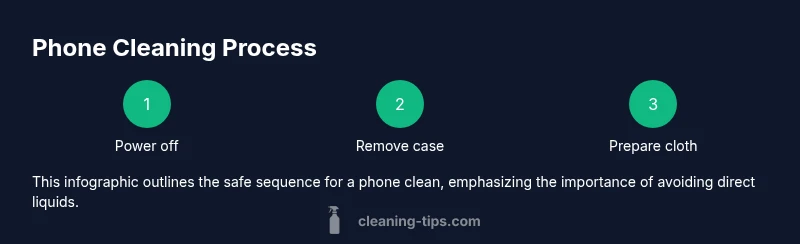
The cleaning process follows a clear sequence that minimizes risk and maximizes results: power down the device, remove the case and accessories, prepare a barely damp cloth or wipes, wipe the screen and body with gentle strokes, clean openings with a brush or swab, dry thoroughly, reassemble, and test. This overview helps you stay organized and prevents moisture from reaching sensitive components. The steps are designed to be safe for most smartphones, but always consult your device's manual if you have a specialized coating or screen protector.
Cleaning screens, bezels, and protective cases
Screens and bezels require light, controlled attention. Use a microfiber cloth lightly dampened with approved wipes or a dilute cleaning solution and wipe in small circular motions. Avoid pressing hard, which can cause micro-scratches or damage to oleophobic coatings. For cases, wash with mild soap and water if possible, and let them air-dry completely before reattaching. If you use a screen protector, lift a corner slightly to clean beneath its edge and re-seat carefully to avoid air bubbles. Regular attention to these areas keeps your phone looking pristine and functional.
Cleaning ports, speakers, cameras, and sensors safely
Ports and grilles accumulate dust and debris that can affect performance. Use a soft brush or cotton swab to dislodge particles from the speaker grills, microphone openings, USB-C/Lightning ports, and around cameras. Do not insert tools with hard edges or apply liquid directly into ports. If moisture is suspected, pause and let the device dry completely before attempting to power on. This careful approach prevents clogs and preserves audio and charging functionality.
Drying, reassembly, and testing
After wiping, ensure all surfaces are completely dry before reassembling any cases or screen protectors. Gently press along the edges to confirm there is no residual moisture. Power the device on and run a quick test of the touchscreen, camera, speaker, microphone, and charging port. If anything feels off, repeat the cleaning steps with extra care, focusing on any suspect areas. Regular checks help you confirm the device is functioning correctly and remains clean.
Daily maintenance and long-term care
Create a simple routine: a quick wipe after handling food, after gym use, or after contact with dirty surfaces. Keep your cleaning tools in a dedicated drawer or kit to avoid cross-contamination with other electronics. Consider replacing microfiber cloths periodically to maintain cleaning effectiveness. The goal is to help you sustain a high level of hygiene without spending excessive time on maintenance. With consistent practice, phone clean becomes a second-nature habit that protects your health and device longevity.
Tools & Materials
- soft microfiber cloth(lint-free; for screens and body)
- manufacturer-approved screen cleaning wipes(use as directed; avoid harsh solvents)
- isopropyl alcohol (70% or less) solution(apply to cloth, never directly to device)
- distilled water spray bottle (optional)(light spray on cloth; do not spray on device)
- soft-bristled brush or cotton swabs(for grilles, speaker holes, ports)
- case cleaning materials(soap and water for phone case, separate from phone)
Steps
Estimated time: 10-20 minutes
- 1
Power down and disconnect
Turn off the phone and unplug from any chargers. Remove the case and any screen protectors if present. This reduces risk and prevents unintended inputs while you clean.
Tip: Power off completely to avoid accidental interactions during cleaning. - 2
Remove accessories
Take off the case, headphones, and any other attachments. Place small parts in a tray to prevent loss and to keep your workspace organized.
Tip: Keep parts separate and labeled; this speeds up reassembly. - 3
Test dampness and prepare cloth
Lightly dampen your microfiber cloth or use a manufacturer-approved wipe. Do not soak the cloth or apply liquid directly to the device. Test on a small, inconspicuous area first.
Tip: A slightly damp cloth is safer than a wet one; excess moisture increases risk. - 4
Wipe screen and body
Gently wipe the screen and body in small circular motions. Avoid heavy pressure and pay attention to fingerprints around the edges. Keep moisture away from ports and openings.
Tip: Use two passes: light first, then a gentle second pass for any stubborn marks. - 5
Clean ports, speakers, cameras
Use a soft brush or cotton swab to remove dust from ports, speaker grilles, and camera edges. Do not push debris deeper into openings or use metal tools.
Tip: Work slowly; a tiny amount of debris takes time to remove safely. - 6
Dry and inspect
Wipe with a dry microfiber cloth to remove any remaining dampness. Check for any moisture near ports and give extra time to air-dry if needed.
Tip: If you notice moisture, pause cleaning and allow more drying time. - 7
Reassemble and test
Reattach the case and any accessories. Power on the device and test touchscreen, camera, speaker, microphone, and charging port to ensure everything works.
Tip: Run a quick data-heavy task to confirm full functionality.
Questions & Answers
Is it safe to use alcohol to clean a phone?
Yes, diluted isopropyl alcohol can be used on nonporous surfaces like the screen and body, but never directly onto openings. Always apply to a cloth first and avoid oversaturation.
Diluted alcohol can be used on nonporous surfaces, but apply it to the cloth and avoid openings. If in doubt, use manufacturer-approved wipes.
Can I clean under a screen protector?
Yes, you can lift a corner of the protector to clean the screen beneath, then reseat it carefully. If the protector is old or peeling, consider replacing it.
If you can lift a corner safely, clean under the protector, then reseal it. If it's peeling, replace it.
What should I do if liquid gets into the speakers or charging port?
Power off immediately and disconnect any power sources. Do not power on until you are certain the device is dry. If issues persist, seek professional help.
Turn it off and dry it completely before testing again. If problems continue, contact support.
How often should I clean my phone?
Aim for a weekly wipe and additional cleaning after exposure to dirty environments or shared spaces. Adjust frequency based on usage and exposure.
Clean weekly, and more often if you’re in high-traffic or dirty environments.
Can I use water alone to clean my phone?
Water dampens cloths for light cleaning, but avoid soaking or spraying. Use mild wipes or a damp cloth and ensure no liquid enters ports.
A lightly damp cloth is okay, but never spray or soak the device.
Should I clean my phone case differently than the device?
Yes. Detach the case and clean it separately using soap and water or manufacturer guidelines. Let the case dry completely before reattaching.
Clean the case separately with soap and water and dry it fully before putting it back on.
Watch Video
The Essentials
- Power off before cleaning to prevent damage.
- Use manufacturer-approved products and avoid direct liquids.
- Prioritize dry cloths and careful port cleaning to protect functionality.
- Reassemble and test all features after cleaning.
- Maintain a simple, regular phone clean routine.