How to Clean iPad Screen Safely: A Step-by-Step Guide
Discover safe techniques to clean your iPad screen without scratching or moisture damage. This guide covers approved cleaners, proper tools, and maintenance tips for a pristine display.


To safely clean an iPad screen, power off and unplug accessories, remove the case, and wipe with a microfiber cloth lightly dampened with water or 70% isopropyl alcohol. Avoid spraying liquids directly onto the screen, never press hard, and allow the device to air-dry before reassembling. For stubborn smudges, repeat with light passes.
Why cleaning your iPad screen matters
According to Cleaning Tips, maintaining a clean screen improves visibility and reduces fingerprint buildup. When you learn how to clean ipad screen properly, you protect the display's oleophobic coating and prevent grime from interfering with touch responsiveness. The Cleaning Tips team notes that gentle cleaning helps preserve coating integrity and prolongs screen clarity for everyday use.
Before you start: safety and prep
Power down the iPad completely and unplug from chargers before cleaning. If a case is on, remove it to access the edges and corners where fingerprints accumulate. Work in a well-lit area and place the device on a soft, clean microfiber cloth to prevent scratches.
Approved cleaning methods for iPad screens
The safest approach uses a lint-free microfiber cloth moistened lightly with water, or a 1:1 mixture of distilled water and 70% isopropyl alcohol on the cloth. Wipe in gentle circular motions, avoid moisture entering ports, and never spray cleaning solution directly onto the screen. For extra protection, apply a tiny amount of solution to the cloth and test on a small area first.
What to avoid when cleaning
Avoid ammonia-based cleaners (like some window cleaners) and abrasive or paper towels, which can scratch the surface or strip coatings. Do not spray liquid directly onto the screen and never immerse the device in liquid. Keep liquids away from the speakers, ports, and buttons.
Step-by-step maintenance (quick reference)
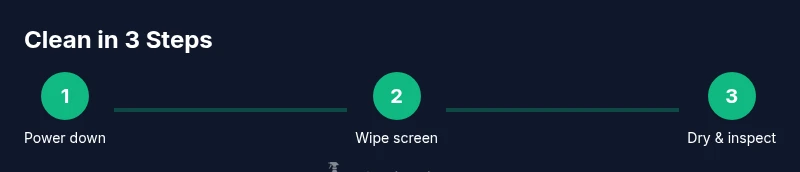
- Power off and remove any case; wipe edges first to lift smudges. - Use a microfiber cloth lightly dampened with water or 70% isopropyl alcohol to wipe the screen. - Dry with a second clean, dry microfiber cloth and inspect for remaining smudges. - Reattach the case and power on to verify touch response. - Do this daily or after notable fingerprints for best results.
Routine maintenance tips
Store cleaning supplies in a cool, dry place away from direct sunlight. Keep a spare microfiber cloth on hand and replace it if fibers begin to shed. Regular, gentle cleanings preserve screen clarity and prolong your device's life.
Tools & Materials
- Microfiber cloth(Lint-free, soft; use for dry and damp wipes)
- Isopropyl alcohol 70%(Dilute with water if needed; apply to cloth only)
- Distilled water(Use to dilute or moisten cloth (not spraying))
- Soft brush or cotton swab(Gently clean around ports without moisture intrusion)
Steps
Estimated time: 10-15 minutes
- 1
Power down and prep
Shut down the iPad and unplug any accessories. Remove the case to access all edges and corners where fingerprints accumulate. This prevents liquid from seeping into ports and avoids accidental taps.
Tip: Have a clean, dry microfiber cloth ready. - 2
Choose cleaning solution
Decide between a light water dampening or a 1:1 mix of distilled water and 70% isopropyl alcohol on the cloth. Avoid strong cleaners that can damage coatings.
Tip: Always test on a small area first. - 3
Wipe the screen gently
Gently wipe the screen using circular motions, applying minimal pressure. Focus on fingerprint-prone zones like the top and bottom bezels.
Tip: Do not scrub; light passes are enough. - 4
Dry and inspect
Use a second clean microfiber cloth to dry the screen and inspect for remaining smudges. If needed, repeat with a fresh cloth.
Tip: Ensure no moisture remains near ports. - 5
Reassemble and test
Reattach the case and power on the iPad. Check touch sensitivity and screen clarity. If any residue remains, repeat with a lighter touch.
Tip: If you notice streaks, switch to a new cloth. - 6
Routine maintenance
Set a regular cleaning habit (e.g., weekly) to prevent heavy buildup and maintain display clarity over time.
Tip: Keep cleaners away from charging ports.
Questions & Answers
Can I use window cleaner on an iPad screen?
No. Window cleaners often contain ammonia or harsh chemicals that can damage coatings on the display. Use a microfiber cloth with water or diluted isopropyl alcohol, and never spray liquids directly.
No, window cleaners can harm the screen coatings.
Is it safe to use alcohol on my iPad screen?
Yes, using a 70% isopropyl alcohol solution on a cloth is generally safe for iPads when applied sparingly and never sprayed directly. Avoid concentrated alcohol and abrasive methods.
Yes, but only on the cloth and not sprayed.
Should I clean the iPad while it's on?
No. Power off the device before cleaning to prevent moisture entry and accidental taps.
Power off before cleaning.
Can I clean around the camera and ports?
Yes, but avoid moisture entering openings. Use a dry or lightly damp cloth and a soft brush for stubborn grime.
Be gentle near cameras and ports.
What if smudges persist after cleaning?
Repeat the gentle cleaning once more with a fresh microfiber cloth, using lighter pressure. If needed, allow more drying time and recheck.
If smudges persist, try again with a fresh cloth.
Watch Video
The Essentials
- Power off before cleaning.
- Use a microfiber cloth only with a dampened solution.
- Never spray liquids directly on the screen.
- Dry and inspect before reuse.
- Maintain a routine cleaning schedule.