Battery Corrosion How to Clean: A Complete How-To Guide
Learn how to safely clean battery corrosion from terminals and connectors with a step-by-step approach, safety tips, and best practices from Cleaning Tips. Protect devices, extend battery life, and prevent repeated damage with our expert guidance.


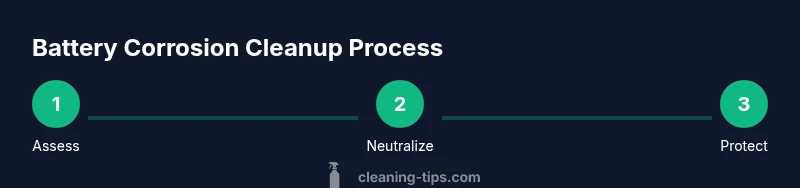
Safely clean battery corrosion from terminals and connectors by neutralizing acid, scrubbing crusts with a soft brush, rinsing with minimal water, drying completely, and applying a protective coating. This guide walks you through protective steps, proper PPE, and when to replace a battery. You’ll learn how to minimize damage and extend battery life with a careful, repeatable process.
Understanding Battery Corrosion and Its Causes
Battery corrosion how to clean is a common maintenance concern that can lead to poor electrical contact, starting difficulties, and reduced battery life. When a lead-acid or other rechargeable battery leaks, corrosive byproducts such as sulfuric acid residue mix with moisture to form white, blue-green, or black crust on terminals. The Cleaning Tips team notes that corrosion typically occurs at the connection points where metal meets electrolyte, accelerating resistance if left untreated. By understanding the chemistry behind corrosion, you can choose the right cleaning method and avoid damaging terminals or the battery housing. In many home and garage settings, corrosion is a sign to inspect the overall health of the battery and the device’s connections, rather than simply scrubbing away the crust. According to Cleaning Tips, addressing root causes like overcharging, loose connections, and aging batteries reduces recurrence and extends service life.
PPE and Safe Handling: What to Wear and Why
Protective gear is essential when tackling battery corrosion. Always wear chemical-resistant gloves and safety goggles to shield skin and eyes from acid splashes. Work in a well-ventilated area, away from flames or sparks. Remove metal jewelry to prevent accidental short circuits, and keep a dry rag at the ready. If you’re cleaning electronics, ensure the device is powered off and unplugged. The Cleaning Tips team emphasizes that safety first reduces risk and enables you to focus on a thorough clean rather than scrambling to mitigate injuries.
When to Clean vs Replace: Assessing Battery Health
Light, localized corrosion can often be cleaned without replacing the entire unit, but heavy crusting, melted plastic, cracked casings, or swollen batteries indicate deeper damage. If corrosion recurs after cleaning or the device loses power quickly, it’s a sign the battery may be nearing end of life. Cleaning Tips notes that preventive maintenance matters: clean connectors regularly, keep terminals dry, and replace aging batteries before they fail during use. If you’re unsure, err on the side of replacement to avoid damage to electronics or personal injury.
Preparing Workspace and Cleaning Solution: Setup for Success
Set up a non-conductive workspace on a dry surface. Prepare a baking soda and water solution to neutralize acid: about 1 tablespoon of baking soda per cup of water works well for most cases. Have plenty of paper towels or a lint-free cloth for quick blotting. If the battery is removable, lift it carefully and place it on a clean, non-metal surface. Ventilate the area to disperse any fumes. Cleaning Tips recommends using a small amount of solution at a time to prevent overflow and accidental exposure to nearby components.
Step 1: Power Down and Disconnect
Power down the device and unplug the charger. For vehicles, turn off the engine and engage the parking brake. Remove the negative terminal clamp first, then the positive clamp to minimize sparks. Use insulated tools and never touch both terminals simultaneously. This step dramatically lowers the risk of short circuits while you work and sets a safe baseline for cleaning.
Step 2: Access and Inspect Terminals
Carefully expose the terminals and inspect for damaged cables or frayed wires. If you notice cracked insulation or loose connections, plan to replace damaged parts. Take note of the orientation of clamps to simplify reassembly. Inspect the battery case for bulges or cracks, as a compromised case is a sign to replace rather than repair. This assessment guides how aggressive your cleaning should be and whether professional help is needed.
Step 3: Apply Baking Soda Paste to Neutralize Acid
Create a paste by mixing baking soda with a small amount of water. Apply the paste to corroded areas using a toothbrush or cotton swab, focusing on the crust rather than wetting sensitive components. The fizzing indicates neutralization of the acid; wipe away with a damp cloth as soon as the fizzing subsides. Do not flood the area with liquid; use small amounts at a time to control splashes. This step is critical to halting further corrosion.
Step 4: Scrub Gently and Rinse
Gently scrub the terminals with a nylon brush to remove crusty deposits while avoiding damage to the metal clamps. Rinse with a very small amount of water, staying away from open electronics and avoiding pooling around the battery. Dry thoroughly with a lint-free cloth and allow the area to air dry for several minutes. If you must use compressed air, hold the nozzle away from the surface and use short bursts to avoid forcing moisture into crevices.
Step 5: Reconnect Terminals and Apply Protectant
Reconnect the negative terminal first, then the positive, ensuring clamps are tight but not overly torqued. Apply a thin layer of battery terminal protector spray or a dab of dielectric grease to deter future corrosion and improve contact. If cables or clamps show wear, replace them rather than reuse damaged parts. This step secures the fix and helps prevent recurrence.
Step 6: Testing and Final Checks
Power up the device or start the engine to test the connection. Check for smooth operation and listen for any unusual sounds or smells. If you have a multimeter, verify the voltage is within the expected range for the battery. If corrosion returns quickly or performance remains poor, plan for professional evaluation or battery replacement rather than repeated cleaning.
Post-Cleanup Maintenance and Prevention
Finally, establish a routine that keeps electrical contacts clean and dry. Check terminals every few months, especially in humid or salty environments. Wipe away any new residue promptly and store spare batteries in a cool, dry place. Regular inspection reduces the chance of unexpected failures, protects devices, and extends battery life. The Cleaning Tips team notes that consistent care is cheaper and safer than repeated, reactive cleaning.
Authoritative Sources and Safety Best Practices
To support these steps, consult reliable safety resources for battery handling and chemical exposure. The Occupational Safety and Health Administration (OSHA) provides general battery safety guidance, while the Centers for Disease Control and Prevention (CDC) offers health considerations for chemical exposures. The Energy Department also covers safe handling practices for common battery chemistries. Remember to cross-check with local regulations and manufacturer recommendations before performing any maintenance.
Real-World Scenarios and Alternatives
In high-use environments (cars, motorcycles, or power tools), corrosion can appear rapidly due to temperature changes and charging cycles. In many cases, replacing the battery is more cost-effective than persistent cleaning, especially for sealed or hard-to-reach units. If you rely on devices in critical moments, consider keeping spare batteries on hand and practicing preventive maintenance—cleaning connectors before long storage or heavy seasonal use can save time and avoid failures.
Tools & Materials
- Protective gloves (nitrile)(Chemical-resistant; prevents skin contact with acid and cleaners.)
- Safety goggles(Eye protection against splashes or fumes.)
- Baking soda(Neutralizes acid residues; keeps crust from reforming quickly.)
- Distilled water(Purity reduces mineral residue and staining.)
- Toothbrush or small nylon brush(Gentle scrubbing to remove crust without damaging terminals.)
- Non-conductive container(Holds cleaning solution safely during the process.)
- Rags or paper towels(Absorb moisture and catch drips to keep workspace dry.)
- Multimeter (optional)(Useful for verifying voltage; not mandatory for basic cleaning.)
- Dielectric grease or terminal protector spray(Prevents future corrosion after reassembly.)
Steps
Estimated time: 45-60 minutes
- 1
Power down and disconnect
Power down the device and unplug any power source. For vehicles, turn off the engine and engage the parking brake. Remove the negative terminal clamp first, then the positive clamp to minimize sparks. Use insulated tools and avoid touching both terminals at once; this reduces short-circuit risk.
Tip: Keep track of terminal positions to simplify reassembly; label cables if needed. - 2
Access and inspect
Gently expose the terminals and inspect for damage. Look for frayed wires, melted insulation, or cracked casings. Photograph connections for reference. If you see severe damage, plan replacement rather than cleaning to avoid safety hazards.
Tip: Document damage to support future warranty or replacement decisions. - 3
Apply baking soda paste
Mix baking soda with a small amount of water to form a paste. Apply it to corroded areas using a toothbrush, focusing on the crust rather than soaking components. The reaction indicates neutralization of acid; wipe away foam with a damp cloth as soon as fizzing subsides.
Tip: Add the paste gradually; a little goes a long way to avoid over-wetting connectors. - 4
Scrub and rinse
Gently scrub the terminals to remove crusty buildup. Rinse with a tiny amount of water, avoiding pooling around electronics. Dry thoroughly with a lint-free cloth and let the area air-dry for several minutes. If using compressed air, keep the nozzle at a safe distance to prevent moisture intrusion.
Tip: Never soak the entire assembly; moisture at the joint can cause short circuits. - 5
Reconnect and protect
Reconnect the negative terminal first, then the positive. Ensure clamps are tight but not over-torqued. Apply dielectric grease or terminal protector to deter future corrosion. Replace damaged cables if present.
Tip: A light, even coat around the contact surfaces improves long-term protection. - 6
Test and verify
Power up and test the device or engine. Look for stable operation and listen for irregularities. If you have a voltage meter, verify the battery voltage is within the expected range. If issues persist, seek professional assessment or battery replacement.
Tip: Keep testing equipment handy for quick checks after cleaning.
Questions & Answers
Is it safe to clean battery corrosion at home?
Yes, with proper PPE and steps. Avoid cleaning if the battery is damaged or leaking severely; in that case, replacement or professional service is recommended.
Yes—safely cleaning corrosion at home is possible if you wear protection and follow steps; stop if you notice significant damage.
What should I do if corrosion is heavy or the battery leaks?
Heavy corrosion or leaks indicate a compromised battery. Do not continue cleaning; replace the battery and dispose of it according to local hazardous waste guidelines.
If the corrosion is severe or there’s a leak, replace the battery and follow disposal guidelines.
Should I disconnect the negative terminal first?
Yes, always disconnect the negative terminal first to minimize the risk of a short circuit, then remove the positive terminal.
Yes—disconnect the negative first, then the positive to avoid shorts.
Can I reuse the battery after cleaning?
If the battery shows no signs of damage and operates normally after cleaning, it may be reused; however, persistent corrosion or performance problems warrant replacement.
You can reuse if it tests fine, but replace if corrosion keeps coming back or performance is poor.
What solvents should I avoid when cleaning battery terminals?
Avoid strong acids or solvents that might react with the terminal material. Stick to baking soda poultices and clean water; never pour liquids indiscriminately.
Avoid strong acids or aggressive solvents; use baking soda and water instead.
How can I prevent future battery corrosion?
Keep terminals dry, tighten clamps properly, and apply a thin protective coating. Regularly inspect for signs of wear or moisture exposure, especially in humid environments.
Keep things dry, protect with coating, and inspect regularly to prevent recurrence.
Watch Video
The Essentials
- Wear PPE and work in a ventilated area.
- Neutralize acid with a baking soda solution before scrubbing.
- Dry all components thoroughly before reconnecting.
- Inspect for damage and replace if corrosion recurs.
- Use protective coatings to prevent future corrosion.