Virus Clean Phone: Safe Smartphone Disinfection Guide
Discover practical, step-by-step methods to safely disinfect your phone and reduce virus exposure at home. Learn sanitizers and practices from Cleaning Tips.


To disinfect a phone safely, power it off, remove any case, and wipe all exposed surfaces with an alcohol-based, electronics-safe disinfectant. Use a microfiber cloth and avoid soaking the device; allow it to air-dry before reassembling. This quick routine minimizes virus contamination without harming coatings. Follow up with regular cleaning to reduce buildup and keep your data safe.
Why viruses on phones are a concern\n\nYour phone travels with you everywhere and often touches faces, hands, and shared surfaces. Microorganisms—from bacteria to viruses—can transfer from your skin to the device and linger on both the glass and the case. Even when you can’t see them, these microbes can contribute to illness if you touch your phone and then your eyes, nose, or mouth. The Cleaning Tips team notes that phones can harbor more germs than a typical countertop because of oils from our skin and the frequency with which we handle the device. By understanding this risk, homeowners and renters can build a practical cleaning routine that reduces exposure without damaging their phones. Regular disinfection, especially during cold and flu seasons or in shared households, is a smart precaution. This guidance aligns with Cleaning Tips Analysis, 2026, which emphasizes accessible, safe practices for everyday devices. Anyone aiming for a virus clean phone should treat the device with care and care for its coatings to avoid damage.\n
Safe disinfection methods for smartphones\n\nUse only alcohol-based wipes or sprays labeled safe for electronics, or a clean microfiber cloth lightly dampened with isopropyl alcohol. Wipe the entire exterior surface, including the screen edges and the back, while avoiding ports and openings. Do not soak the device or spray liquids directly onto its surface. Allow surfaces to air-dry completely before reassembly. If you use a case, clean it separately according to its material. The goal is to reduce surface contamination without compromising coatings or water-resistance. Cleaning Tips recommends sticking to methods explicitly designed for electronics and avoiding household cleaners that can strip protective coatings.\n
What to avoid when cleaning your phone\n\nNever apply bleach, ammonia, or hydrogen peroxide directly to the device, and never spray liquids into ports or speakers. Avoid using abrasive materials that scratch screens or remove coatings. Don’t rely on UV-C wands or lamps for phones, as improper exposure can damage sensitive components. Use only manufacturer-approved or electronics-safe products, and test any new cleaner on a small, inconspicuous area first.\n
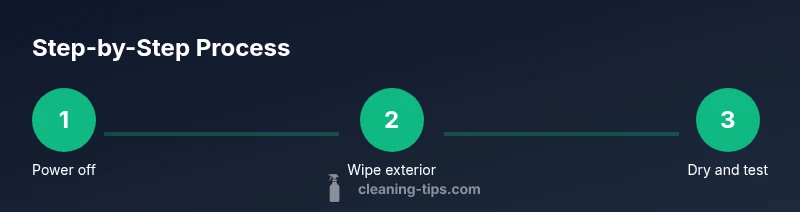
Step-by-step disinfection routine (overview)\n\nThis overview maps the high-level flow: power off, remove the case, wipe exterior surfaces with an electronics-safe disinfectant, dry with a microfiber cloth, and reassemble. Take care around ports, speakers, and cameras to prevent moisture intrusion. Expect a short air-dry window before using the phone again. For a structured approach, consult the dedicated STEP-BY-STEP section that follows with precise actions and timings. This routine minimizes risk while preserving screen clarity and touch sensitivity.\n
How to disinfect phone accessories and cases\n\nCases and screen protectors require their own cleaning routine. Remove the case and wipe it with mild soap and water, or use an electronics-safe disinfectant if the material allows. Wipe down accessories like chargers and earphones with a similar approach, ensuring no moisture enters ports. Allow everything to dry completely before reassembling. This helps prevent cross-contamination between the phone and its accessories.\n
Maintenance: how often to disinfect\n\nIf you handle your phone in high-risk environments (public transport, workplaces with shared devices, or households with sick members), disinfect it daily or after each high-risk exposure. In low-risk environments, a weekly, gentle wipe can be sufficient. Keep cleaning supplies accessible (but safely stored) and track your routine on a calendar as a reminder. Consistency matters more than the exact frequency, so pick a schedule you can maintain.\n
Tools & Materials
- Isopropyl alcohol (electronics-safe)(Use on exterior surfaces; never apply directly into ports.)
- Alcohol-based disinfectant wipes(Choose products labeled for electronics.)
- Microfiber cloth (lint-free)(Prefer soft, non-abrasive to avoid scratches.)
- Cotton swabs or soft brush(For cleaning around ports with care.)
Steps
Estimated time: 10-15 minutes
- 1
Power off and remove case
Turn the phone off completely and detach the case to access all surfaces.
Tip: Power cycles help ensure you don’t short any electronics while cleaning. - 2
Prepare your cleaning area
Set up a clean, dry workspace and lay out your microfiber cloth and wipes. Avoid humid or dusty surfaces.
Tip: Keep liquids away from the edge of the desk to prevent spills. - 3
Wipe exterior surfaces
Gently wipe all exterior surfaces with an electronics-safe wipe or cloth dampened with isopropyl alcohol. Do not allow liquid to pool near ports.
Tip: Do not spray liquids directly on the phone. - 4
Clean around ports and cameras
Use a cotton swab or soft brush to remove residue from edges, speakers, and around the camera lens without forcing moisture inside.
Tip: Keep moisture away from openings. - 5
Dry and reassemble
Let the device air-dry completely before reattaching the case or powering on.
Tip: If the rain is heavy, wait 2-3 extra minutes to ensure complete evaporation. - 6
Test functionality and finish
Power on and test basic functions; confirm touchscreen response is normal.
Tip: If you notice any residue, repeat the wipe with a dry microfiber.
Questions & Answers
Can I use bleach to clean my phone?
Bleach can damage coatings and corrode components; avoid it on phones. Use electronics-safe disinfectants instead.
Bleach isn’t safe for phones; use electronics-safe disinfectants to be safe.
Is it safe to use alcohol-based wipes on screens?
Yes, most electronics-safe wipes are designed for screens and exterior surfaces. Wipe gently and avoid moisture entering ports.
Yes, but wipe gently and avoid ports.
How often should I disinfect my phone?
Frequency depends on exposure. In high-risk settings, wipe daily; otherwise, weekly wipes suffice.
In high-risk settings, wipe daily; otherwise weekly is fine.
Can I use UV-C cleaners on my phone?
UV-C devices can damage screens and coatings and are not recommended for phones.
UV-C cleaners are not recommended for phones.
Should I clean my phone case separately?
Yes, remove the case and clean it with appropriate cleaner; let it dry completely before reattaching.
Yes, take off the case and clean it separately.
What about disinfecting accessories like chargers?
Disinfect chargers and earphones using non-damaging wipes; ensure no moisture enters any connectors.
Disinfect accessories with care; avoid moisture in connectors.
Watch Video
The Essentials
- Disinfect phones with electronics-safe products.
- Avoid moisture in ports and openings.
- Dry completely before reassembly and use.
- Clean accessories and cases too for best results.
- Establish a regular disinfection routine.